Hi guys!
I really want to update my profile, add a bio, make a shop, make a poll..but I can’t find how to do that lol!
Can someone please help lol!
Thanks!!!

Hi guys!
I really want to update my profile, add a bio, make a shop, make a poll..but I can’t find how to do that lol!
Can someone please help lol!
Thanks!!!
Which one would u like me to explain first?

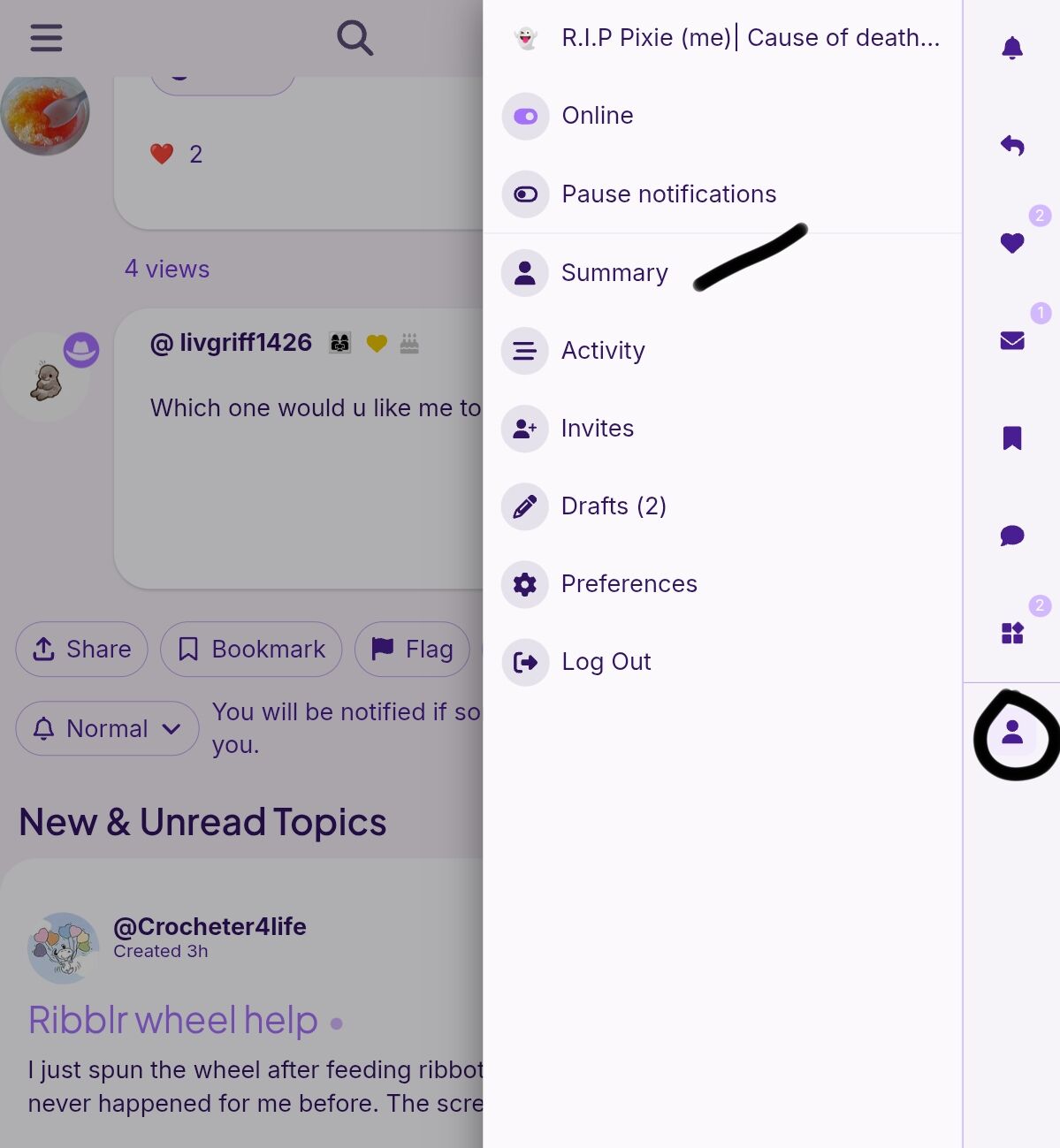
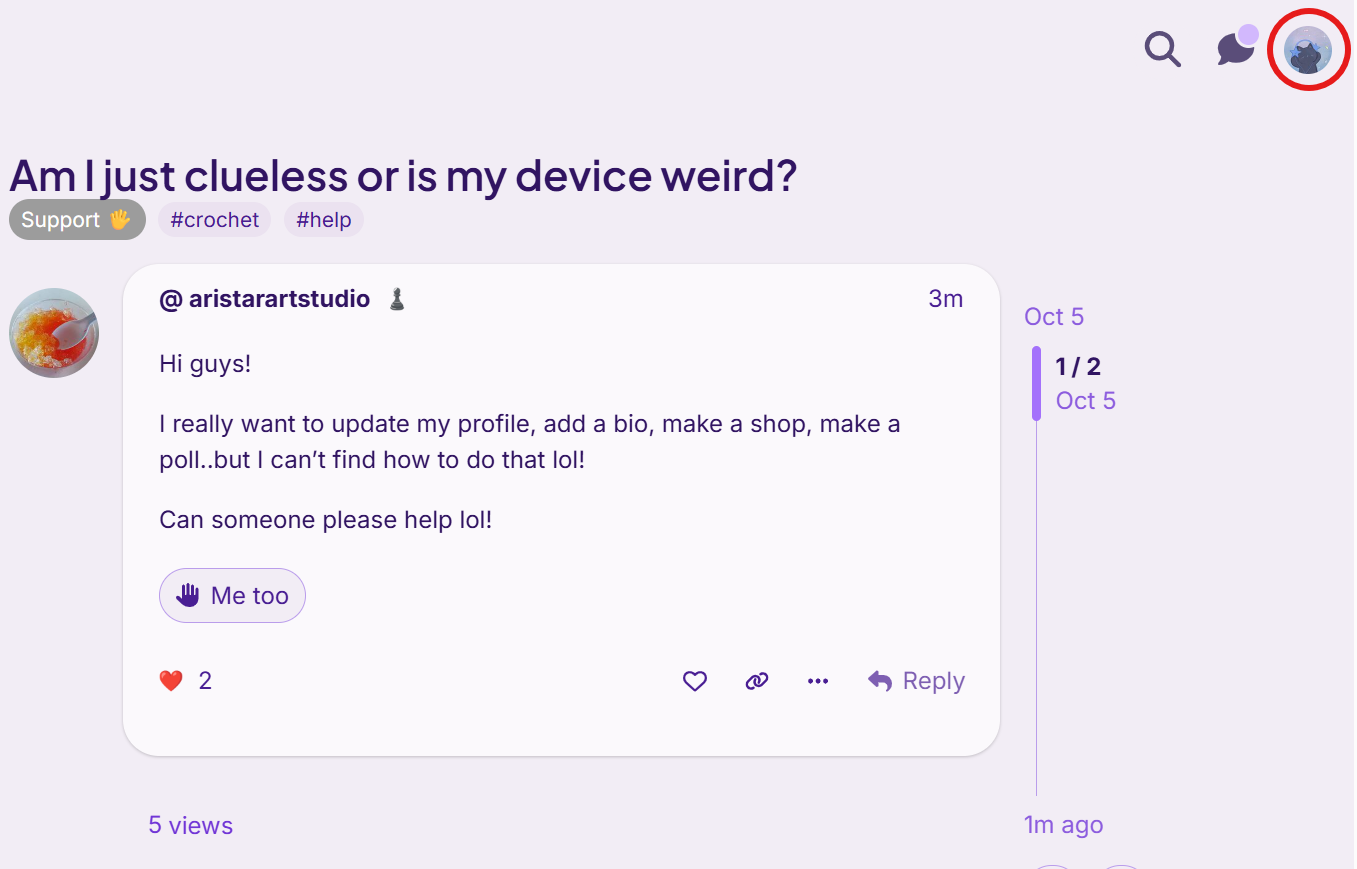
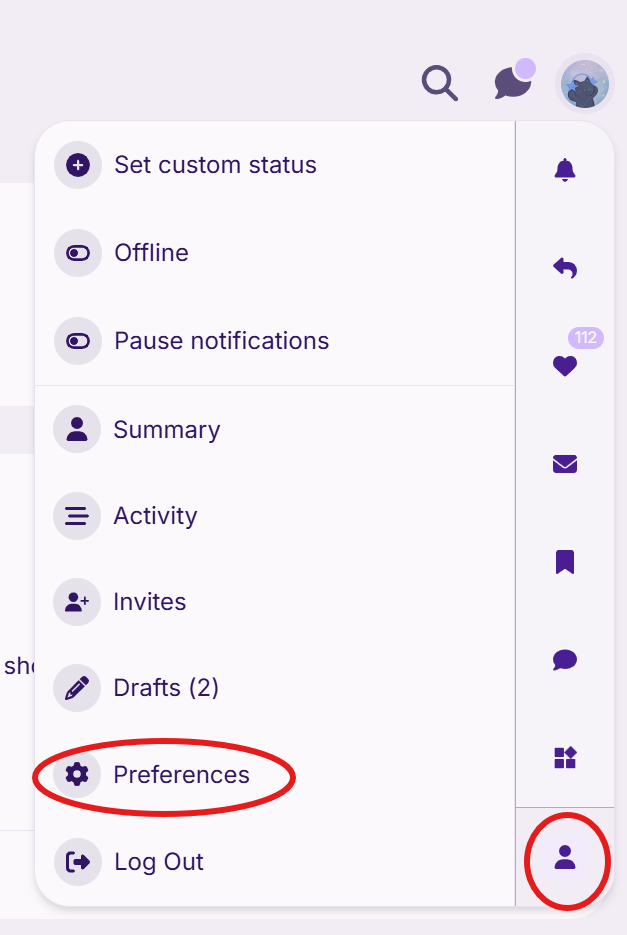
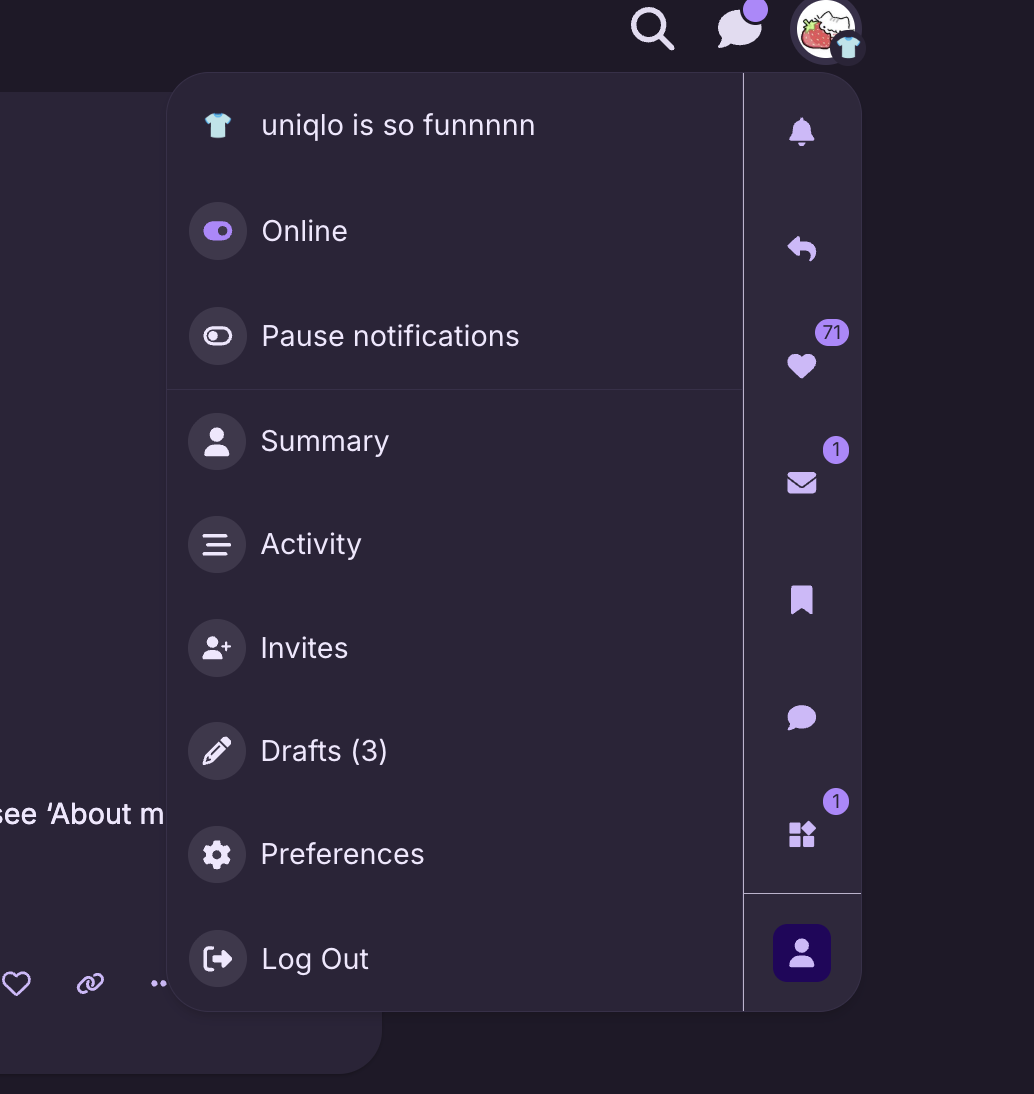
In the community page, top right corner you can see your profile picture, click on that. Then click on the bottom person symbol and then click on summary
Then
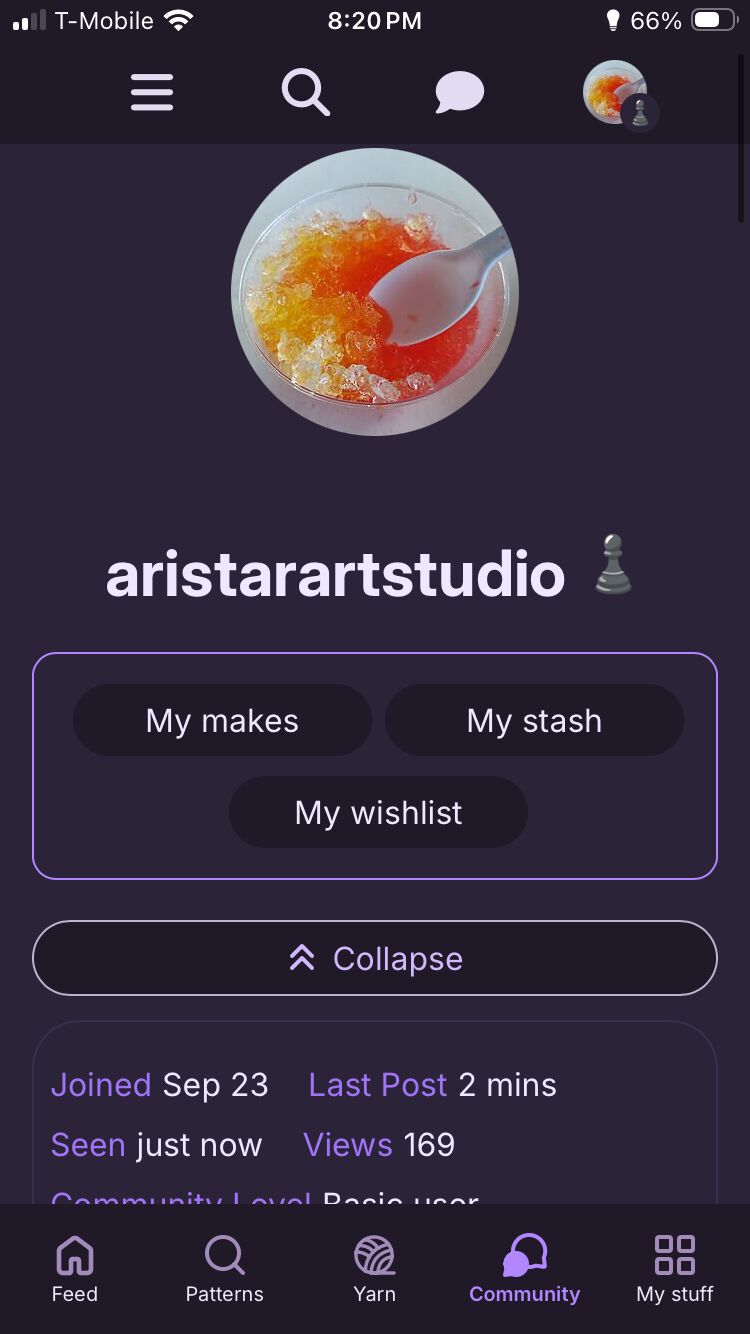
Click on the setting symbol and you can set your status
For, your bio, click on the profile button beside it and you can see ‘About me’. There you can change it and save it
Either one lol
Hmm it doesn’t show anything but I might be off lol
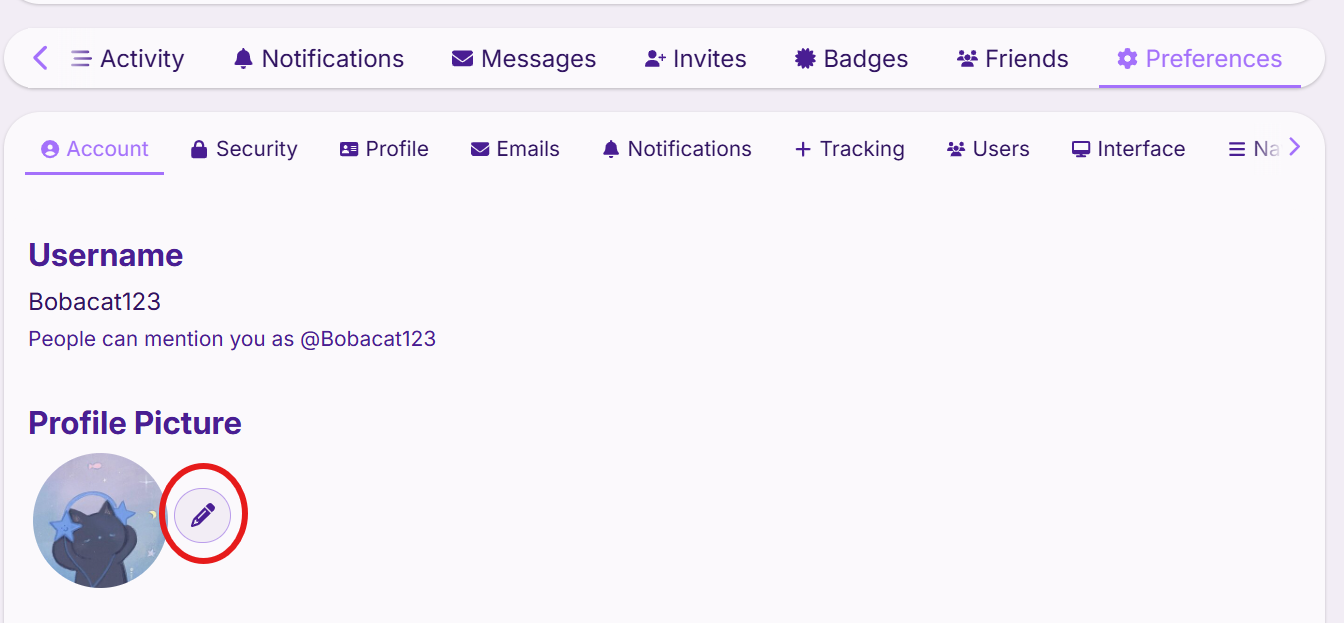
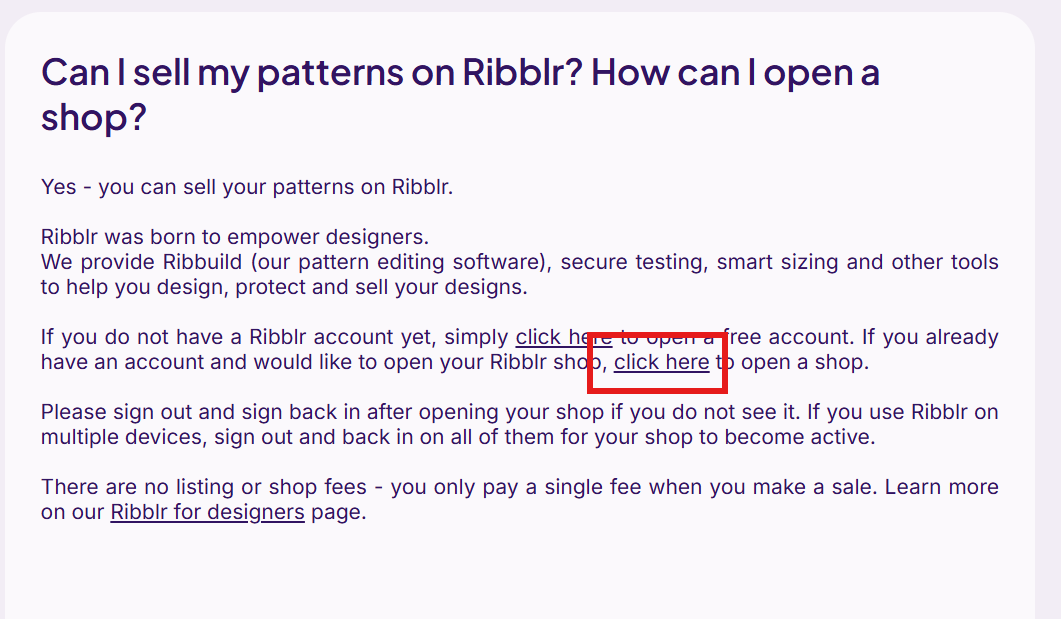
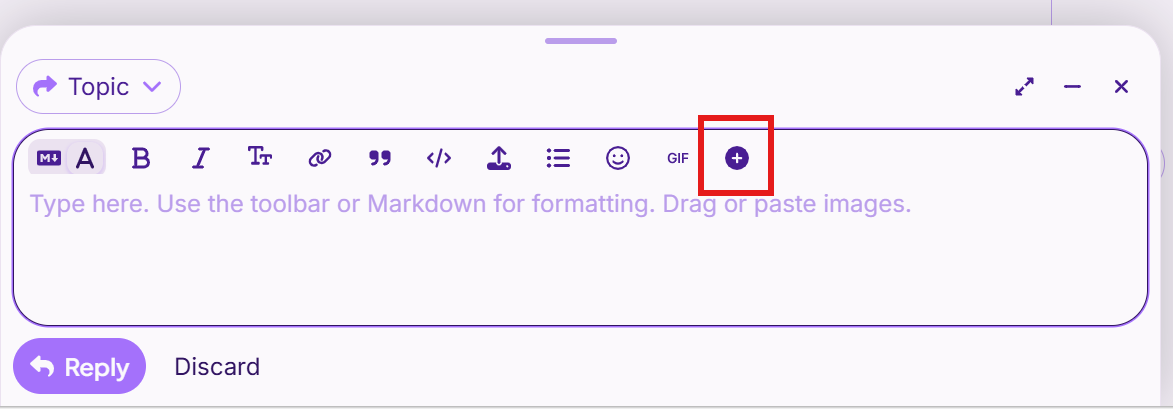
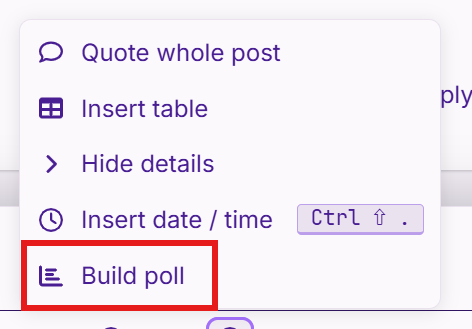
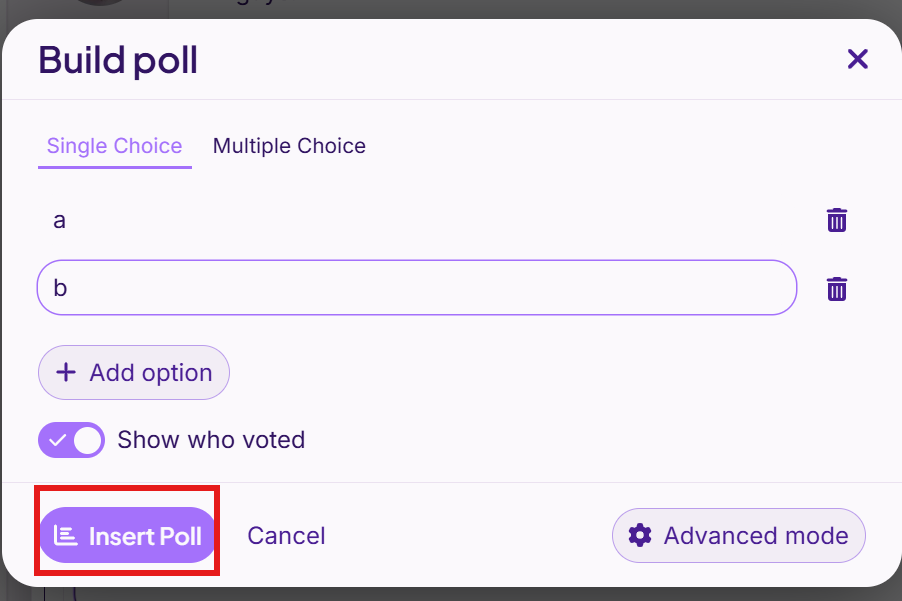
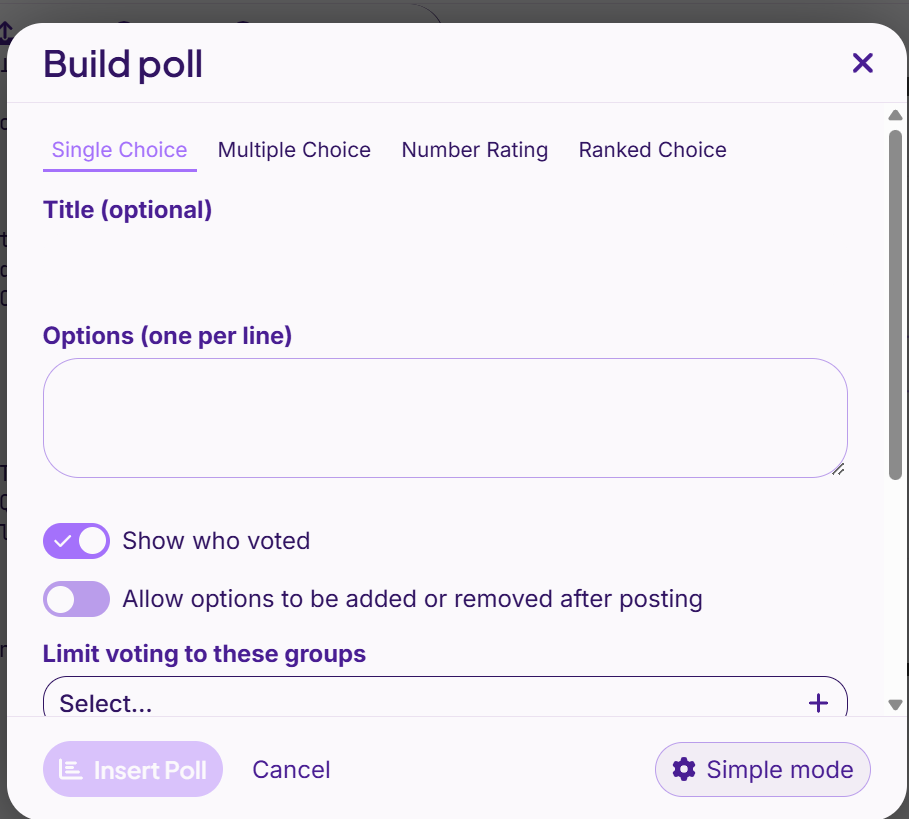
Here’s step-by-step photos on how to do each!
in Preferences, press “Profile” and then click the box under the About me section to add a bio.
open a shop by using the link below!
Ribblr Help Center | Can I sell my patterns on Ribblr? How can I open a shop?
be sure to click Insert Poll once you’re done!
Lmk if you need more detailed explanations for any of them! :>
Thank you so much !!!
hmm… I don’t have a person icon there?
what device are you using? it should be your pfp in the top right of the ribblr screen. then click on that blank person thing
Thanks, guys! I did ittt :3
now I just have to figure out a dropdown…any suggestions? thanks!!
Since we r doing this now can someone pls tell me how to cross out my text
use ~~ before and after your text!
~~ like this ~~ → like this


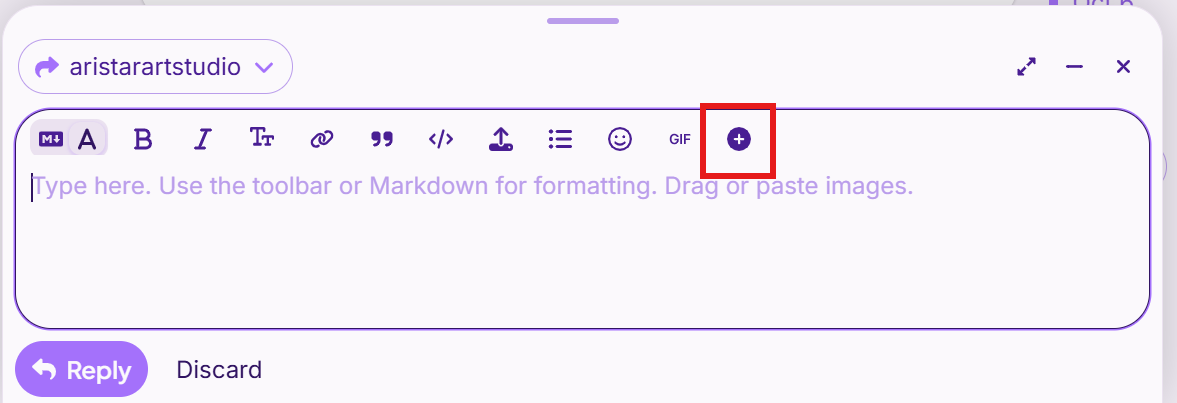
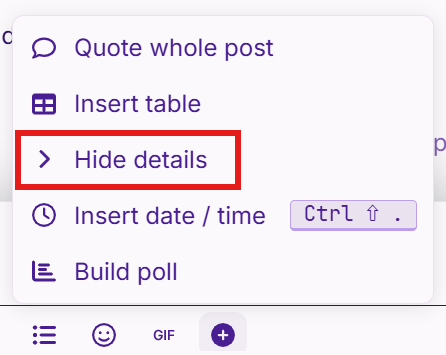
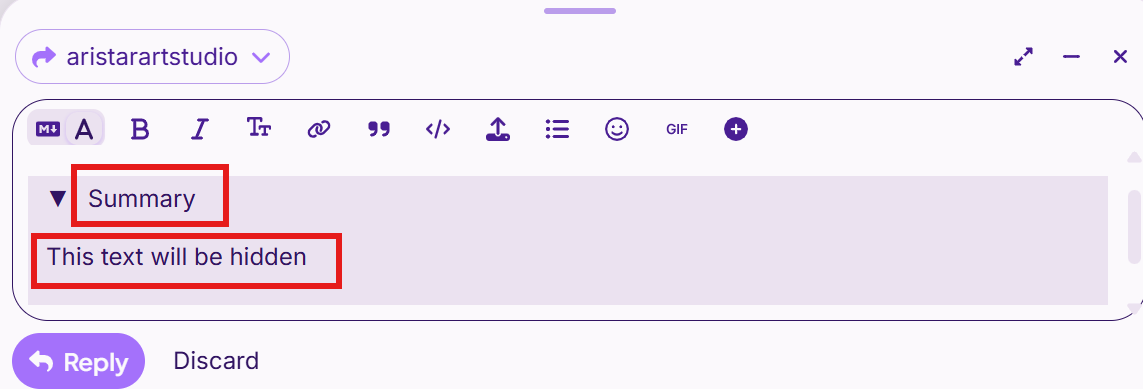
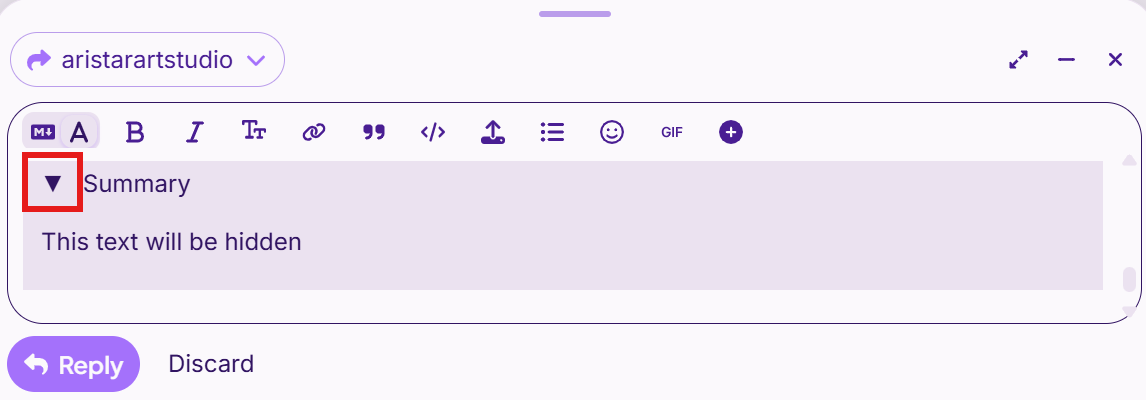
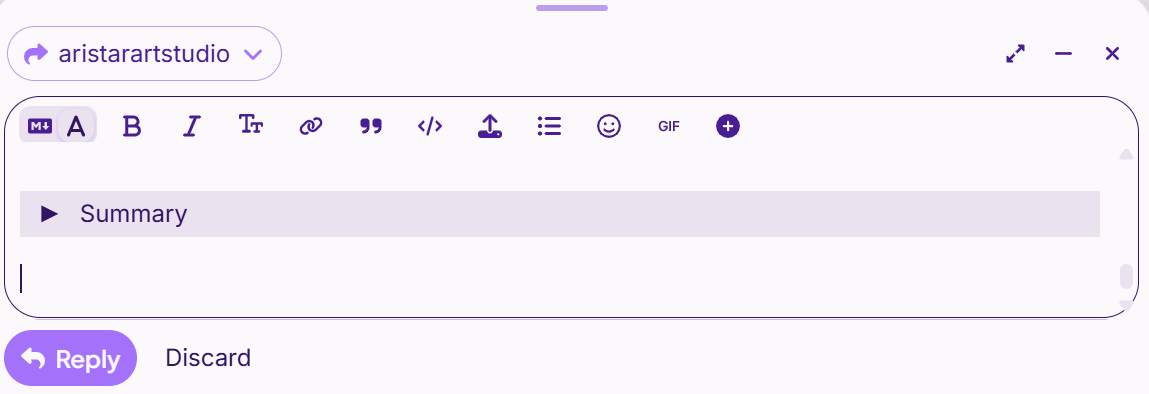

 solution” so others know this topic is solved :)