
Hey guys so I need help I was working on my new pattern and I wanted to make like this but I didn’t know how can someone help plz
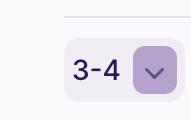
I think it might auto do it if you do more then 2 rounds 
I’m not sure because I’m trying to figure that out too
If you click the number slot instead of the words slot, it should pop up the keyboard and you put the - then the number of rounds you want it to be.
Like if you want it to be 3 rounds starting from 5 you would put 5-7 sc
Ty so I but for example 5-7
Yes the 5-7 is an example. or u were asking is that how its typed also yes ^^
But make sure to click the number spot not the words. ^^
Zach is correct. It won’t show up in Ribbuild but if you view it normally, it will automatically change.
it means rounds 3 through 4 

It will automatically do that when you either post a tester call, or publish the pattern. You can also see what the pattern looks like finished by clicking on the “ribblr it” button. Hope this helps!