I’m trying to send a message to my testers but keep getting an error saying the title is too long (max 100 characters)
so I tried “Kitty Bag Earbuds Case” still giving me an same error
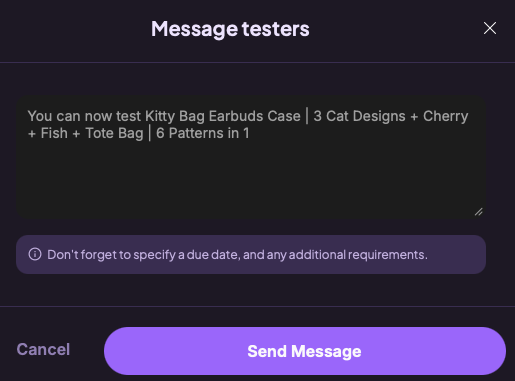
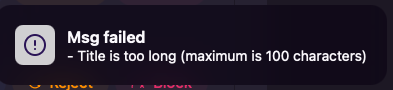
Is there a way to fix this? Any help would be appreciated!

I’m trying to send a message to my testers but keep getting an error saying the title is too long (max 100 characters)
so I tried “Kitty Bag Earbuds Case” still giving me an same error
Is there a way to fix this? Any help would be appreciated!
I believe that the text is actually 100 characters or more, I counted, I’m pretty sure it includes spaces | + and anything written counts as a charater so you’ll want to count including spaces and everything else and then delete however many you need to to be under 100
Oh I tried all options, even just typing “Kitty Bag Earbuds Case” and it still doesn’t work 
Also, some of my testers are saying the pattern is glitchy and won’t load. Is this a known issue?
That’s happening to me too. The pattern seems to not have any instructions at all :/
I have had some difficulty with sending the message. A couple times I was able to get it to go through by typing just a couple words, sending, then editing the message after it went through (in the group chat). I know that each time I try to copy and paste into that box it won’t send.
Yeah, I’ve contacted Ribblr support about the glitch so hopefully it gets fixed soon!
Im not sure if this helps you, but when I had testers I just couldn’t create a group chat but I just needed to create a separate message not in the testing tab and manually add everyone!
Oh, thank you so much for the tip! I actually found out from the Ribblr team that my pattern title was too long, which was blocking the group chat. It’s working fine now that I’ve shortened it, but I’m still glad you shared that trick with me, it’s a great backup to have! 
But be careful of making a dm because you can only see messages for the past 7 days.