I posted a tester call a while ago and only one of the many of my testers is unable to access the pattern. Does anyone know why? PLZ HELP!
6 Likes
When they click on the link to go to the testing tab, does it not show up? Also, does it say approved in your testing manager?
3 Likes
Hi! This happened to me earlier today! So what I did was that I went on manage testing, then made a new link, and sent that link to the tester. Then after the tester used the new link, it re sent me the application and I was able to approve them again so that they got the pattern. I hope this helps!
1 Like
This is about me, so yes, I have the pattern in the testing library and can open it. I can see the intro and also the summary of the pattern instructios (that navigation tool with the titles of the different parts of the pattern like body, head,…
There I can see them all listed but not in the pattern) but the instructions themselves I cannot see.
It just says:
Instructions
Body
(then there’s one picture of the body)
And that’s it.
I never had problems like this except once where a testing pattern stopped after a few rows and I believe to remember the designer just unlocked the rest somehow and it showed up? Can this be possible? I don’t know if I’m remembering this right and if yes, how to unlock it
2 Likes
That sounds like it may be the issue. This option has now changed with the glow up.
For the designer:
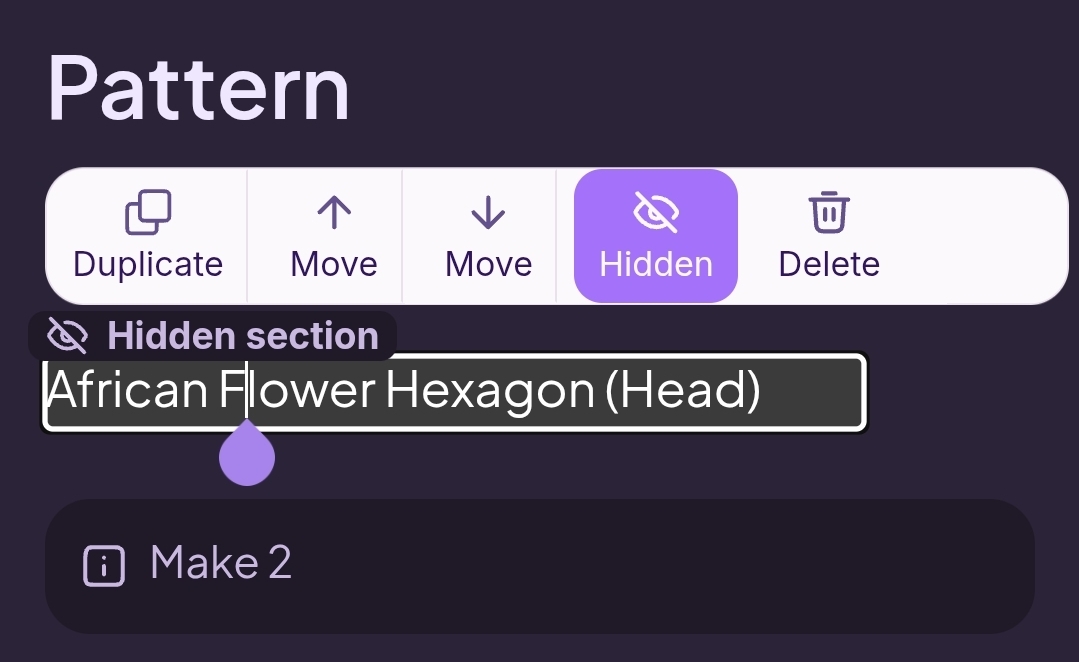
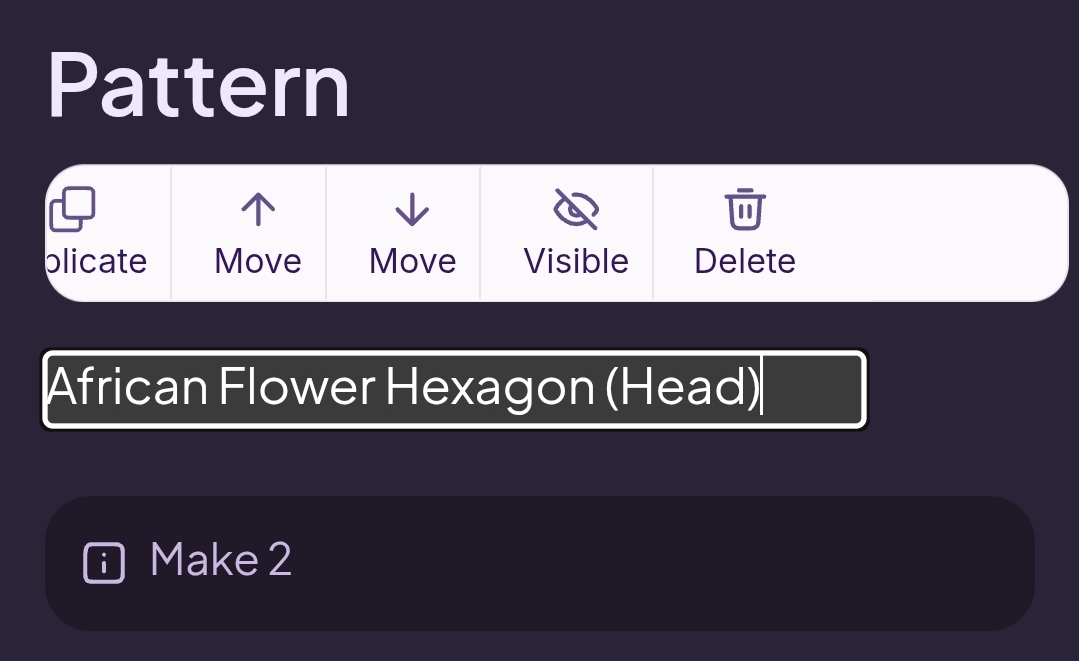
If you click on a section of the pattern while editing you will have a bar above your line with different options. If you scroll right, you will see it say either visible or hidden. You want to make sure each section says visible. Check all header and subheader lines.
It should look like this
If you see this  , click on the word hidden to make it visible to testers.