
Hi! My testers aren’t being able to see my pattern in their testing zone and also when I click on messagge testers it appears to be a chat that was created the first time I clicked on it with only the testers I had at that particular moment (around 6 people), but now I have accepted more and there are about 19 testers and I don’t think they are included in the same chat even though I’ve clicked again on messagge all testers and they appear on the list.. help?
You won’t be able to reuse the button. You’ll need to manually add people to the chat unfortunately.
As far as them not seeing your pattern, I assume you’ve accepted them as testers and have not yet gifted the pattern? If that’s the case, it should be in their testing library. If you gifted them the pattern already (which should be saved for after they complete testing), then it will show up in their regular pattern library.
Otherwise I’m not sure why they would not see it if you’ve accepted them
Uhh it’s annoying that I have to manually add all those people (especially since the app doesn’t allow copying the username!!).. as for my testers not seeing my pattern, nope, I haven’t gifted to them, so I have no idea what’s going on..
Thanks for your answer!!
I usually wait until I choose all my testers and close the tester call before making a group chat so I don’t have to add manually. But since you are keeping it open for a while, now you know about adding new people! That is weird that they can’t see the pattern.
Just checking, but you approved only where circled and did not do anything with the area that is “'X", correct?
Yeaah, that’s what I’m gonna do from now on haha.. and pattern-acces-wise, I ended up having to add manually the testers to allow access.. I don’t understand why the platform doesn’t grant them access automatically if I already approved them as testers (?) And I don’t quite get what you mean by the part with the x ? But I’m certain I have 23 active approved testers and they all appear on my testing pattern zone u.u
You do not use the all patterns access. Only approve under their name. The “all pattern access" give access to people to make changes to your pattern, which you don’t want. The approval under their name lets them see the pattern (at least they should be able to) without being able to make changes to it.
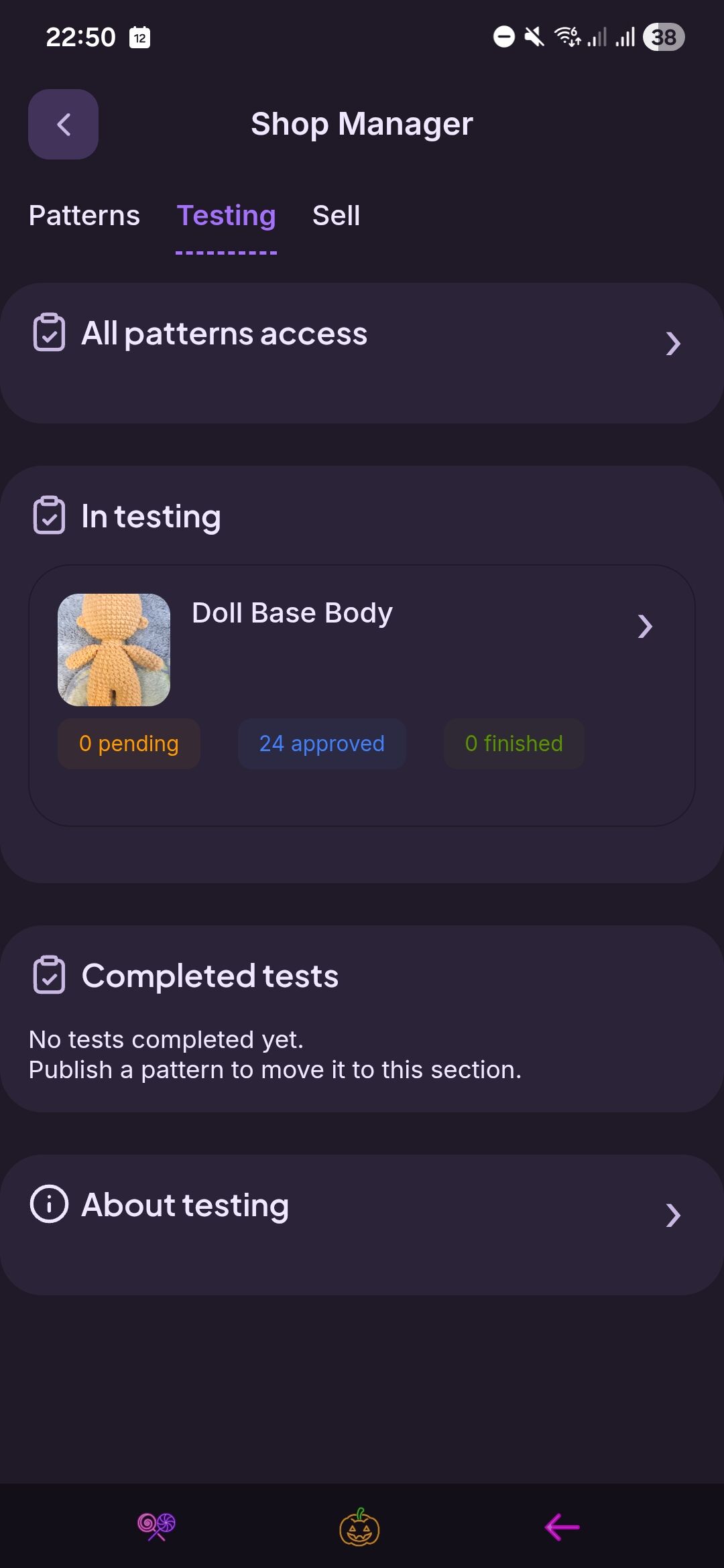

Tbh I would love to have the platform work out on its own to figure I gave permission for accessing just THE pattern I approved the testers for, which I understand is the idea.. but this was the only way it actually worked and my testers confirmed they can see and access the pattern. I don’t know if it’s a bug or what
Hopefully Ribblr can look into this, because I have never had a problem with testers accessing the pattern after the simple approval. So sorry you have had to go through this!
Thank you for your time and help 
You’ll want to remove everyone from the all access unless you have their permission. This will give them access to all of your patterns even when they don’t apply. I have seen a lot of complaints from people who were added without permission.
Yeah I get it it’s just a straight forward solution for now, to let my testers get the pattern. At the moment I don’t have any other patterns so hopefully this will get sorted out before I have to deal with that problem haha
Maybe once I close tester call and they all finish their makings I can remove everyone and hope for things to work on the first try next time haha
Figured it wouldn’t be a big deal since you only have 1 pattern. So you lucked out there. But what a way to get initiated in the testing world lol
Yeaah that’s exactly right haha, at least I think this is making me learn a lot tbh
Yes. You’ll need to remove them unless they agree to test all future patterns. I honestly would not give anyone that access without knowing them personally or until they have tested a lot of my patterns and have proven themselves as a great tester. (I also have just under 100 patterns so that would be a lot of testing  )
)
Yeah! Totally! It’s not my intention to leave it as is haha.. but I appreciate your advise and help