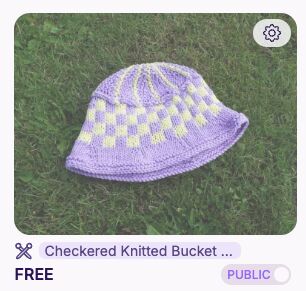
Hi everyone & @Ribblr
I want to edit a pattern in my shop
It is saying that I need to remove the pattern before I can edit it
How can I remove the pattern without losing the pattern itself?
Thank you for your help everyone @Ribblr

Hi everyone & @Ribblr
I want to edit a pattern in my shop
It is saying that I need to remove the pattern before I can edit it
How can I remove the pattern without losing the pattern itself?
Thank you for your help everyone @Ribblr
Hi there! Don’t remove it, just make it private again using the toggle in your shop where it says ‘public’.
Let me know if that helps!
Hi @Ribblr
I saw the button but I don’t want to click on it and delete my pattern
It won’t delete it. It just makes it private, so you can edit it. Then switch it back to public again. Don’t worry.
It just turns your pattern into a draft again so it can be edited, and then you can repost it as public again! It won’t harm your pattern, I’ve done it several times!
You’re all good! It does look like that at first

Can I ask you for your help with something please?  If not that’s okay
Ofc!
I gotchu!