
It worked now! I have both on my testing page. I will start right now.
2 Likes
I have had a few testers do the same and I agree with @craftycellist on having extra testers in case. And I always recommend putting on the tester call guidelines that they must stay active in the group chat. And when my testers don’t respond I send them a message reminding them of the tester they signed up for and I also typically say someone like I haven’t heard from you in the chat I am giving you a two day extension if you can’t finish by the extension date I can’t gift you the pattern. And if you still can’t get anything from them I would take them off testing and block them as testers. Hope this helps!
2 Likes
Hi thanks for the advice
I do have some questions how do i make a group chat and how do i block them as testers
Thank you
2 Likes
When testers apply you can go into shop manager in the testing zone and it should show where you can accept and decline testers as well as message them when your done.

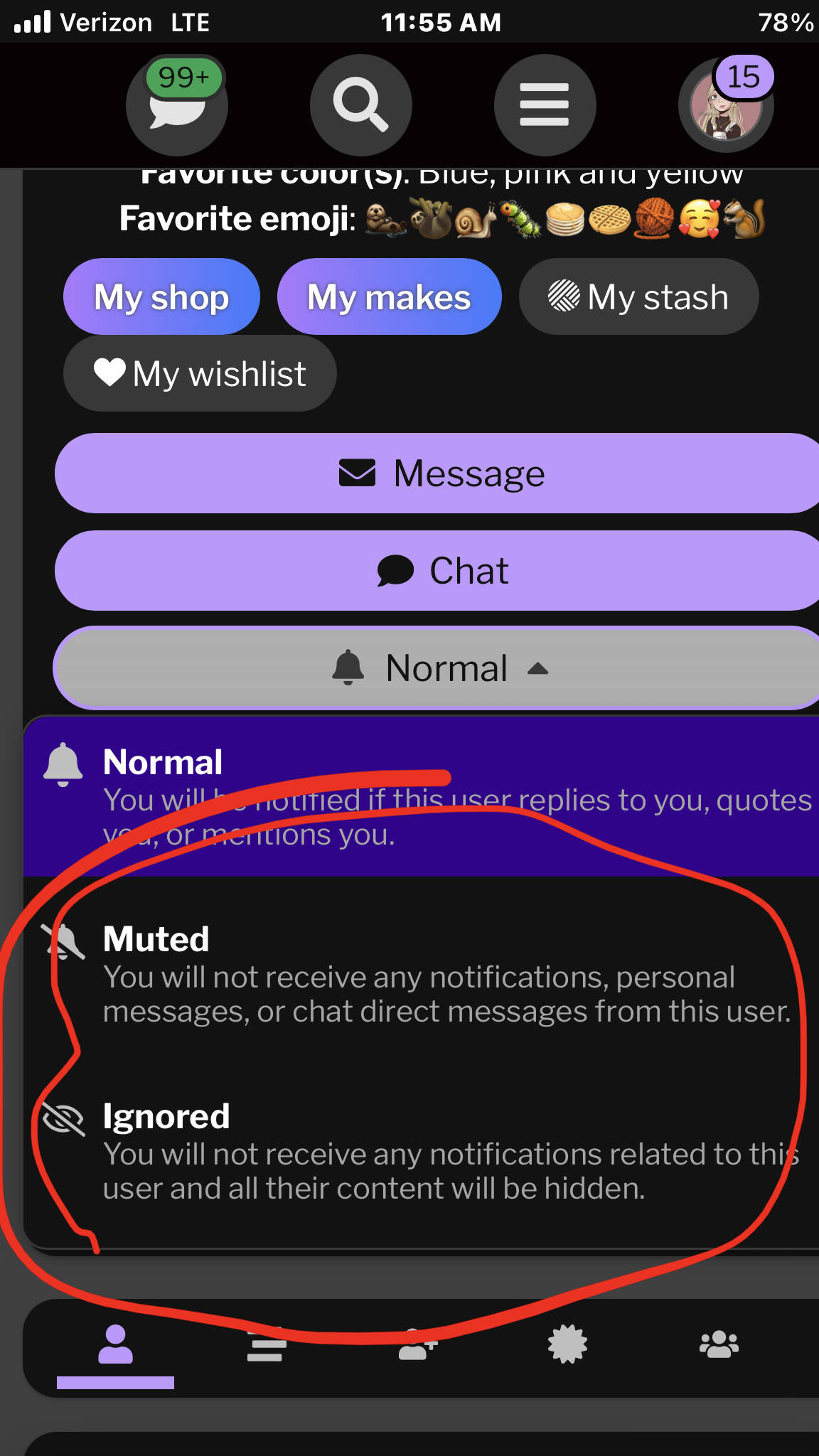
And to block them ( I used you as an example
 ) I just put ignore or mute!
1 Like
And on messaging testers it basically is just like when you message someone except it links all of your testers onto the same chat!
Lmk if you have any other questions!
1 Like
Ok thank you so much, on my cat pattern i messaged all testers at the same time, in the message i asked them if they got the message to message me back and only two people said they got it. Those where also the only people so far who have finished one other person though has told me they’re almost finished. So im not sure if everyone got it and people are just ignoring or if they achally didn’t get it
3 Likes
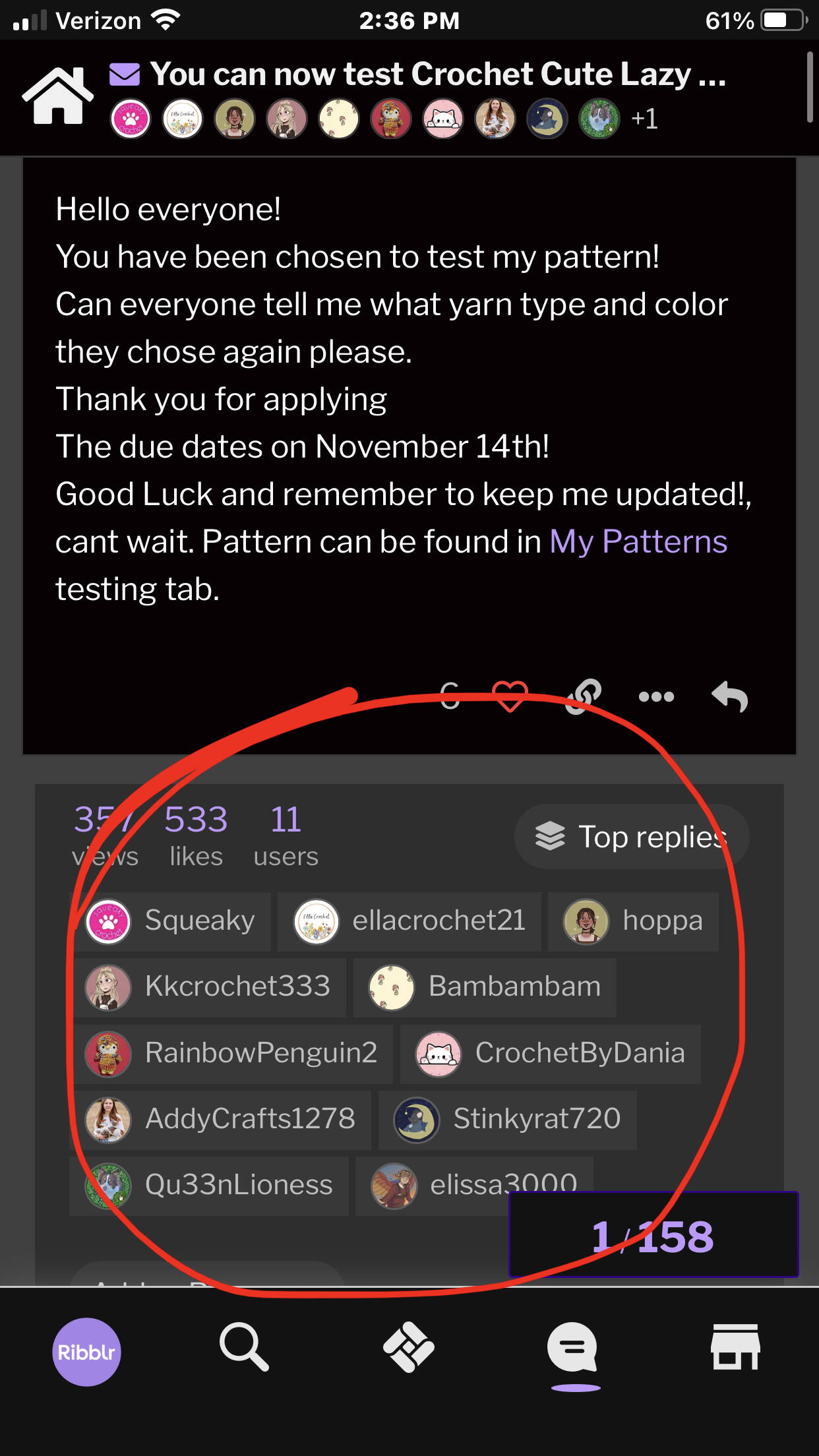
This shows who all you sent it to, and it goes strait into where all messages go to so they should see it if they haven’t completely ghosted.

1 Like
Ok thank you
2 Likes
Ofc!
1 Like
Hi sorry for another question i just sent a message to some of my testers all at once and once i sent it it came up with 404 page not found do you know if theres a way i can see if it went through or not
No worrys if you dont
2 Likes
You can see if it worked by going into the envelope button and seeing if your message is there, if it’s not it probably didn’t go through.
Thank you
Yep! And you can ask questions whenever!
Ugh it didn’t 
2 Likes
I would try again,
1 Like
Yay i went and clicked messge testers and it took me to the message i had sent with everyone underneath it 
2 Likes
Yay! 

1 Like
Sorry you’re having some trouble! I have noticed that generally around this time of year (sept-dec) it can become sooooo much harder to get responsive testers that finish on time. I’ll just give a little of my two sense about how I go about this situation and how I (for the most part) get responsive testers:
- If the due date has passed and they are not responding to any messages, cut your losses and remove them. You could also contact reliable testers to see if they happen to have the time or willingness to test for you last minute if you are truly short on testers, OR if its really bad, just remake the tester call and choose some new testers.
- When I post a tester call I am super upfront about when I’m picking testers, when its due, and when it’s released. And I personally do not give extensions as I don’t want to have to track down testers to see if they will finish.
- When choosing testers, try to choose “quality” testers. Now what I mean by this is choose people who respond to your tester call, people who give good feedback (if you have been in a tester group with them, take notes on people who finishes well before the due date and give quality feedback), choose testers that aren’t commenting on every tester call saying they want to test because they will likely be in several of those tests and all of the sudden they don’t have all that time anymore. All this to say is be picky with your testers, you’ll get better at choosing them as time goes on and you will develop a better eye for these things.
- Leave you tester call open for a decent amount of time. I personally will leave my calls open for AT LEAST a full 24hrs before closing them, this helps me get a wide variety of applications to choose from.
- Have nice quality photos of your piece from multiple angles in you tester call to help entice testers to apply.
- Find a happy medium of testing time. Basically select a time frame that isn’t too short or too long. Too short can lead to testers not having time to get it done and too long can lead to disinterest. I find that for a small pattern that takes less than an hour to make 5-7 days of testing, medium pattern with little sewing 7-10 days, medium lots of sewing, 10-14 days, large pattern 14-21days. (Of course this is for amigurumi, so take this with a grain of salt)
I’m sure there’s a lot I forgot to add but I hope this helps!
3 Likes
Thank you soso so much dor all this advice ill try to do this next time
2 Likes