
Could anyone he able to help me figure out how to make a logo for my shop. Every time I try it does this. Not what the tour said it would do. Please help. Thank you.  Sorry I can’t show the picture.
7 Likes
could you describe more in depth what the problem is? is it not allowing you to upload your image? also moved this to support
3 Likes
In the tour for making a shop it says that all you have to do is tap the logo sign and press the photo library then your photos will pop up and you can pick one bilit when I press the sign it asks if ribblr can take photos and videos on my phone.
2 Likes
Maybe try allowing Ribblr to take photos and videos on your phone?
3 Likes
Tried doing the “just right now” but I’ll try the “always” Thank you very much.
2 Likes
Please can someone help me. Thank you. I am utterly curfufled
2 Likes
If you are using the app, you have to allow Ribblr to access your photos. If it is not working from the pop up, go into your app settings on your phone and update the permissions
3 Likes
Thank you so much.
1 Like
Um…..well it isn’t popping up anything.
1 Like
What do you mean “update the permissions”? And how do you do it. Because when I pressed the logo picture it didn’t pop up anything. So I reread what you said about going to settings, but I don’t understand how to “update the permissions.” I went to settings (and I didn’t think it would be),but there was no botton or anything saying to update the permissions. I know I’ve already asked a lot, but can you please tell me how to do it. Thank you very much for even reading this.
1 Like
There should be an option that says permissions but it may depend on the type of phone you have. I have an android.
I go to settings, apps, and then selected Ribblr and it pulls this up
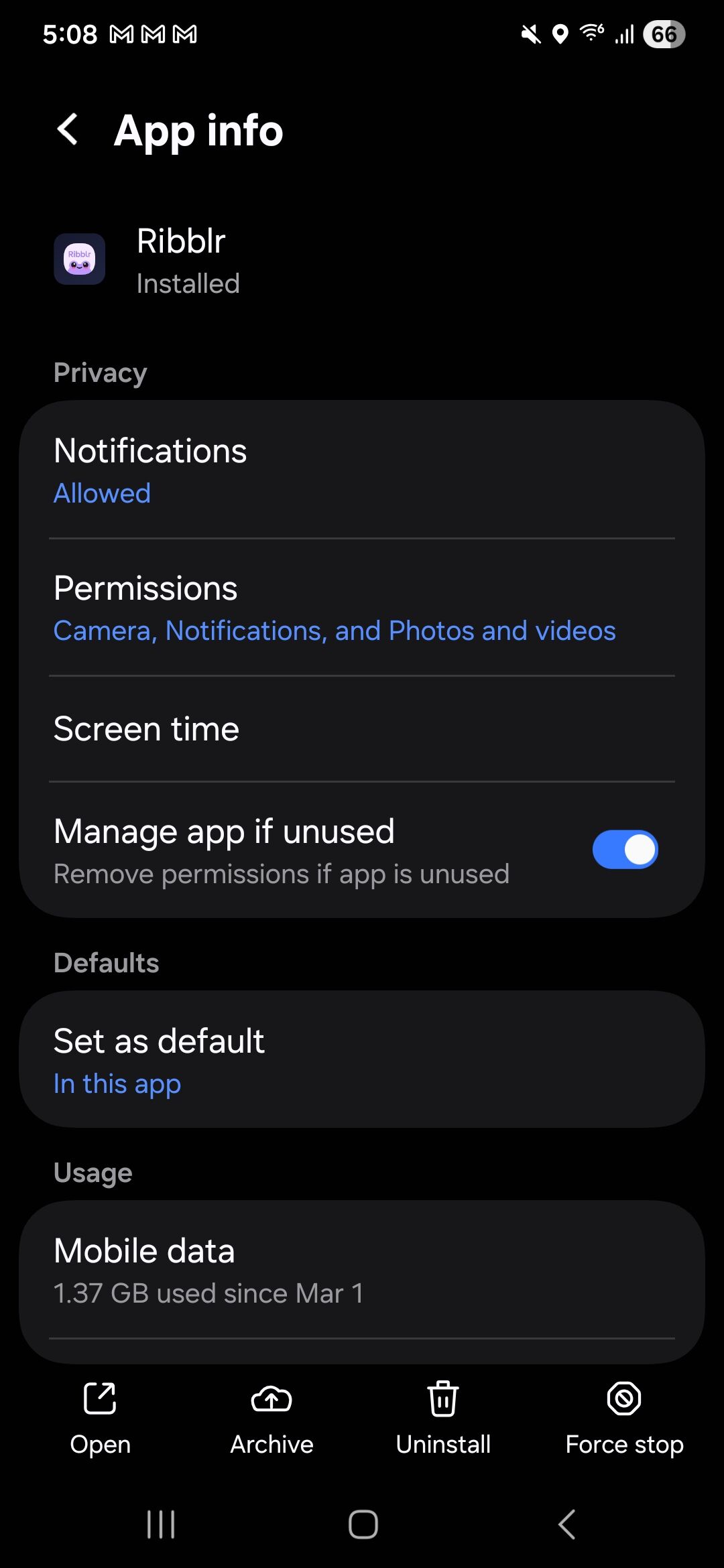
Then click on permissions and it will show everything you have allowed
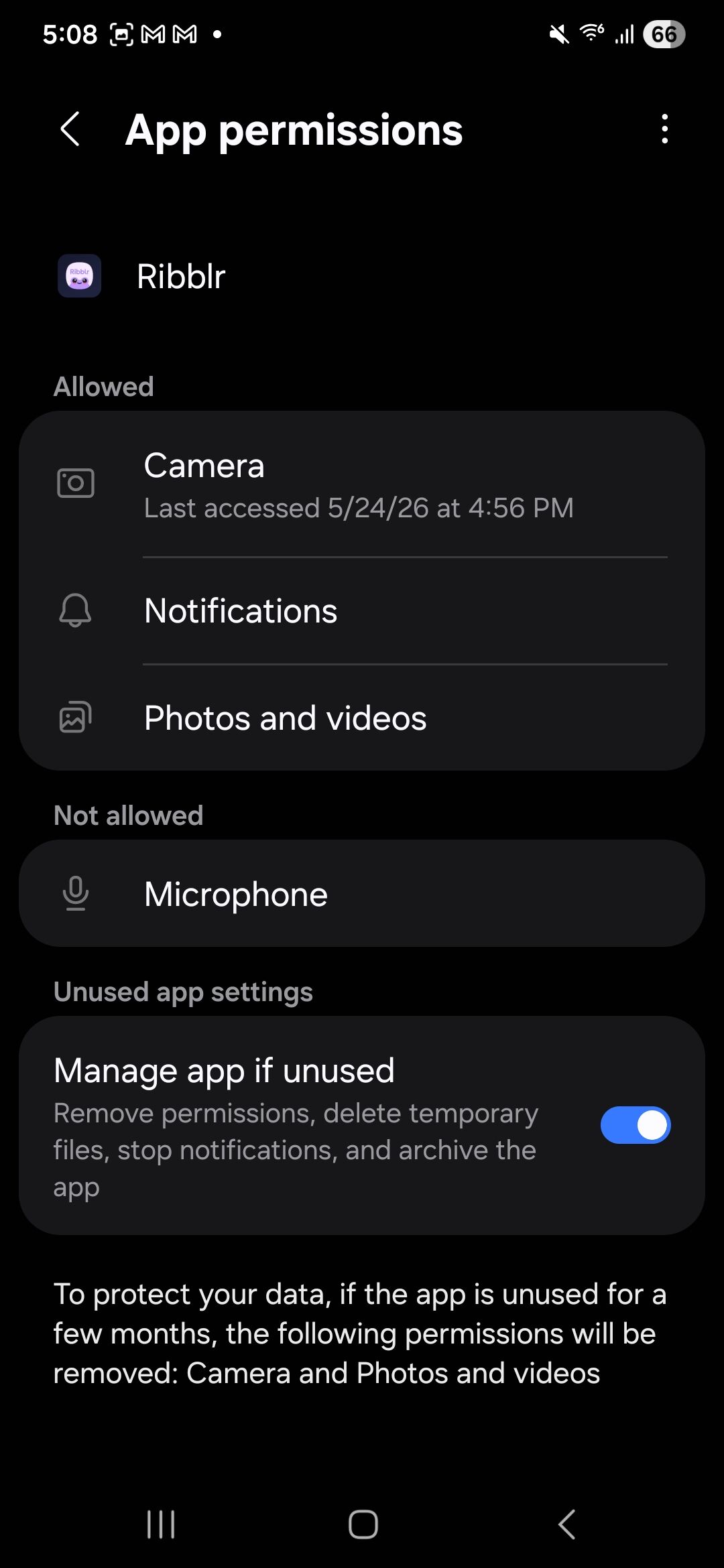
Then click on camera and change it to allow
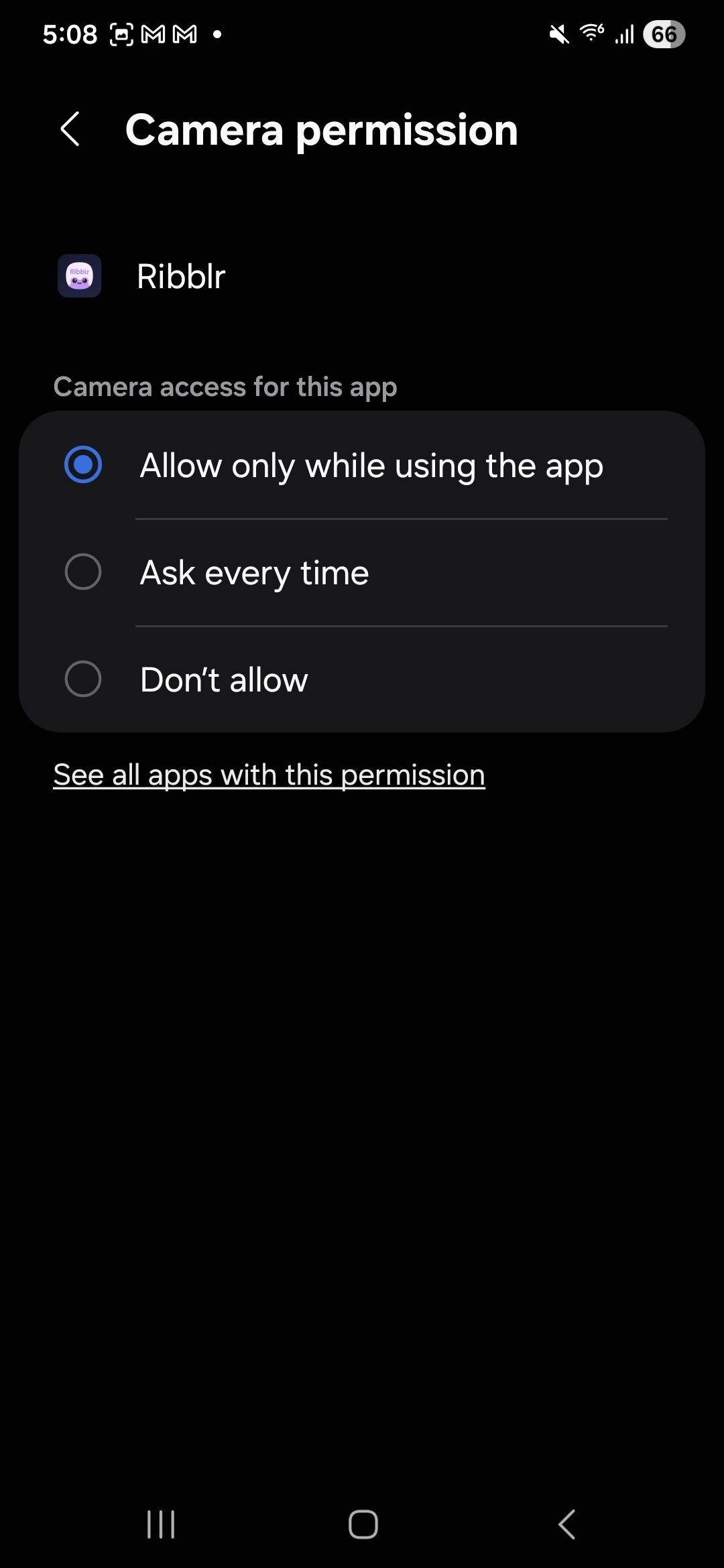
If you have an iPhone it may be different
2 Likes
Thank yiu so much. I can not tell uou how much this means to me.
2 Likes
It worked! It finally worded! Thank you so so much.
1 Like
Oh yay! I’m glad it worked 
2 Likes
Well it don’t actually work….. it just does not do anything when I press on the “Pick a logo” button. But thank you anyway for trying .