
I downloaded a picture that I want to use as a profile picture, but when I pressed the button to upload the picture it didn’t do anything. Can anyone help me figure out how to do it. I know I’ve been asking a lot of questions, and I’m sorry for it, but I really would like to know, it’s because I am new here, so please help me if you want. Thank you so much for even just reading and trying to figure it out. Thank you!
7 Likes
Moving this to support! Once you change your photo, it may take a little time to go through. You may also need to log out and then back on again
4 Likes
first, click your current profile picture in the top right hand corner, then you should see this

click the person, then click preferences
it should take you here, and then click the little pencil
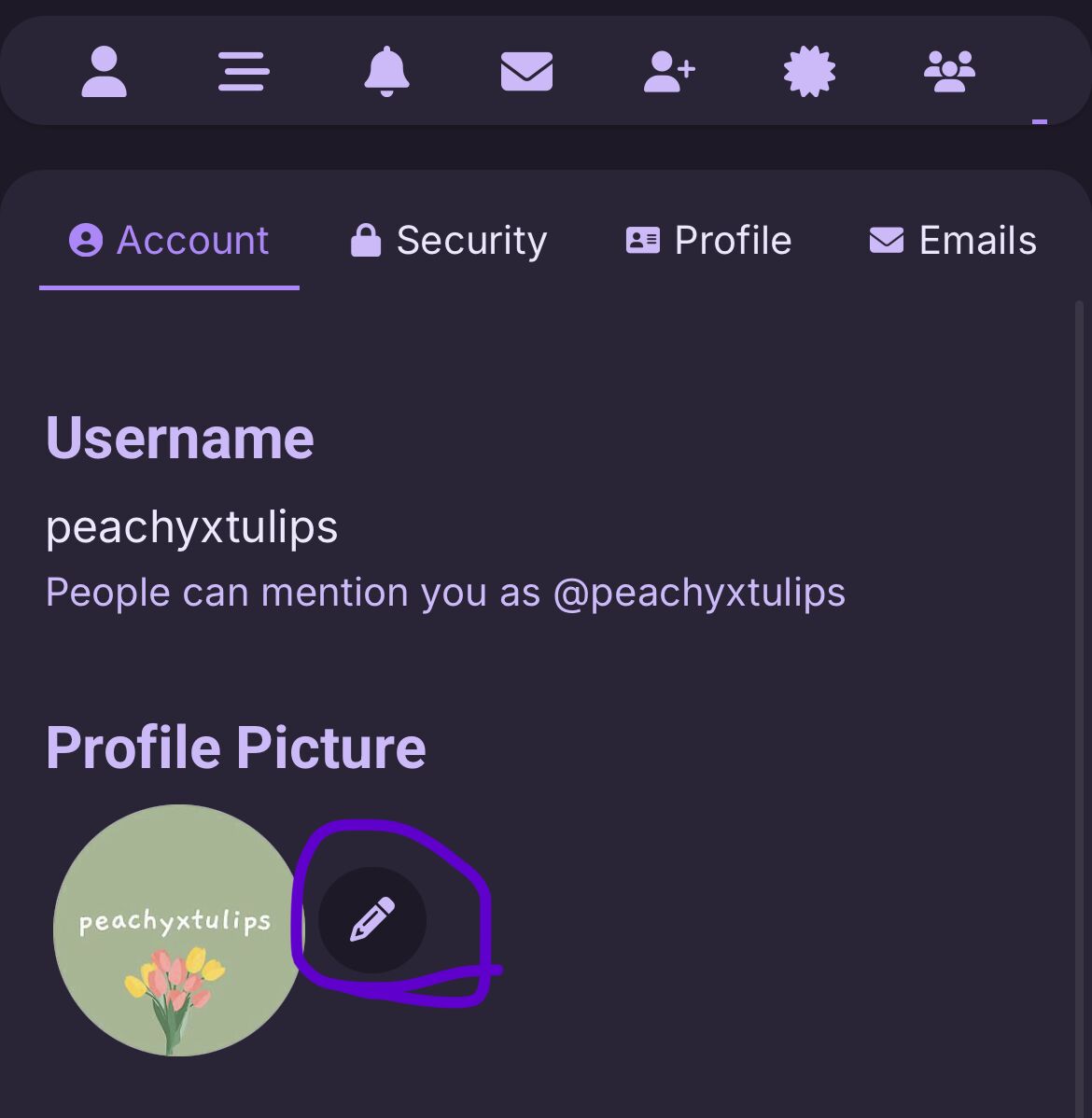
if this helped, please mark this post as the solution! thanks <3
4 Likes
if you’ve already clicked the pencil and it’s not working it might be that you pressed something that said like “allow ribblr to access your photos” and then you said don’t let them. That would be why but I’m not sure how to or where to find the button to let them access your photos
2 Likes
Thank you! All of you! I appreciate this so much. 
2 Likes
Thank you. But when I pressed the little pencile a thing pops up asking which ime of the following I want to change my profile picture to:
The automatic profil picture
My graveyard photos (which I don’t even know what that is)
Upload a picture
I tried to upload a picture but it didn’t nothing. Is there anymore advise you could give? Thank you so much for the help you have given me.
3 Likes
@ribblr could you help with this?
2 Likes
Are you using the Ribblr app? If so you need to allow permissions to access your photos albums
1 Like
So….. I did what you said, but I still can’t upload a picture. I downloaded a picture but it still don’t do anything when I press the upload something.