Hi all!!
So my dad had not known about the chats, and he found out about them earlier, and banned me from them so I need to know how to disable them (SO SO SORRY @aeryneso AERIE!! )
If anyone needs to talk to me abt smthg feel free to dm me!!! (As long as it is important)
And my irl friend @Chickensss wants to able chats
So yeah if someone could tell me that would be great
Thank you everyone! AND NOW, LET THE FIGHT FOR THE SOLUTION COMMENCE!!!
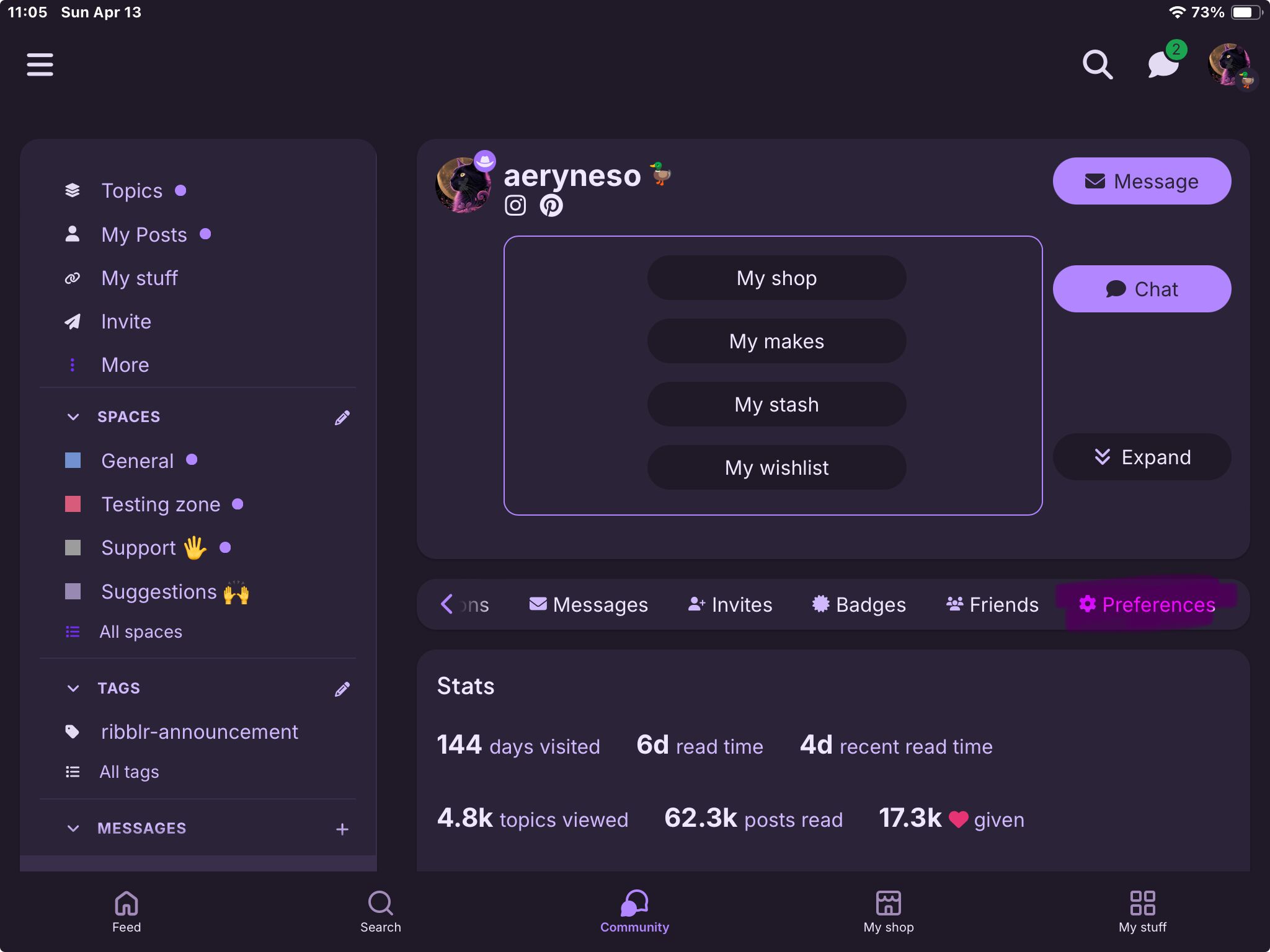
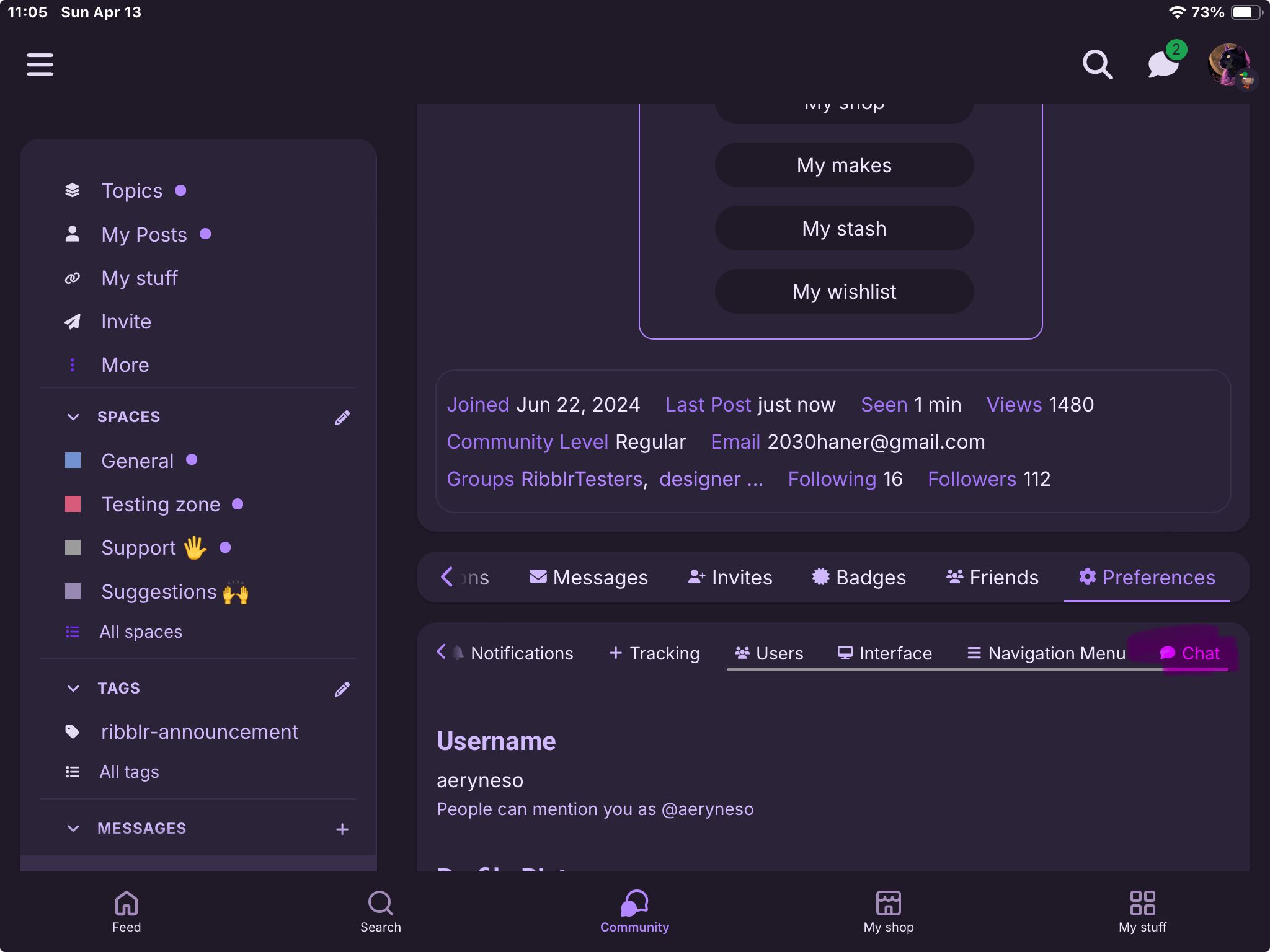
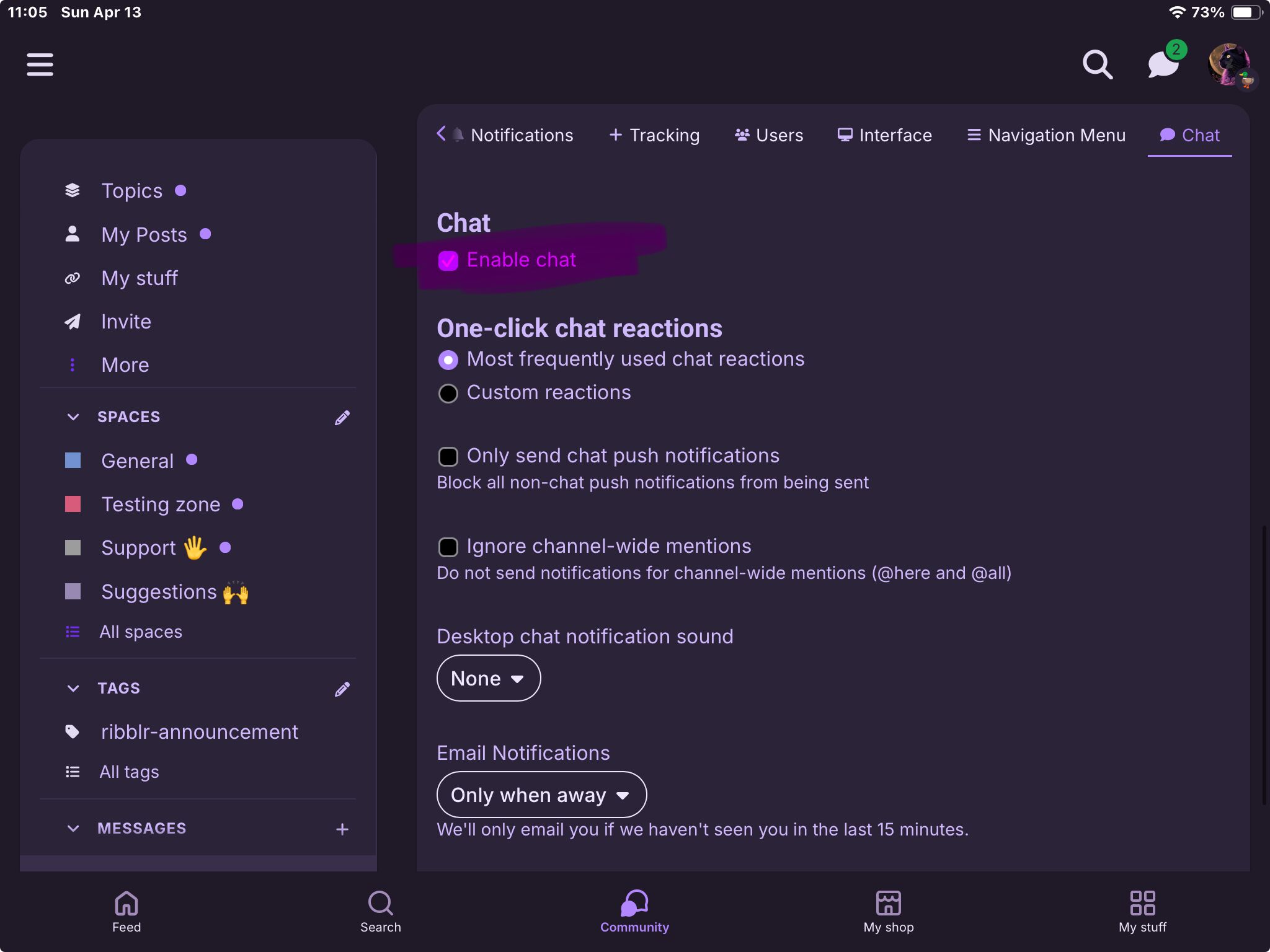
hehehe the tag allowed me to win the fight :3 and oh noooooo anyway go to your profile, scroll all the way to the right on that little bar to “preferences,” then scroll all the way to the right on the little bar below THAT to “chat,” then click the little checkbox next to “enable chat” - if you make it empty, then click “save preference” or smth at the bottom it will disable chat.
LOLLL i was surprised since it took so long to ss everything… but my new method is putting all the photos, then editing to explain hehe - also seeing rizzy’s tag helped XD

 so I need to know how to disable them (SO SO SORRY @aeryneso AERIE!!
  )
)