
I thought I’d post this tutorial, of sorts, to help testers learn how to create and share their journals. I hope I shared this in the right space. Apologies if it doesn’t belong here.
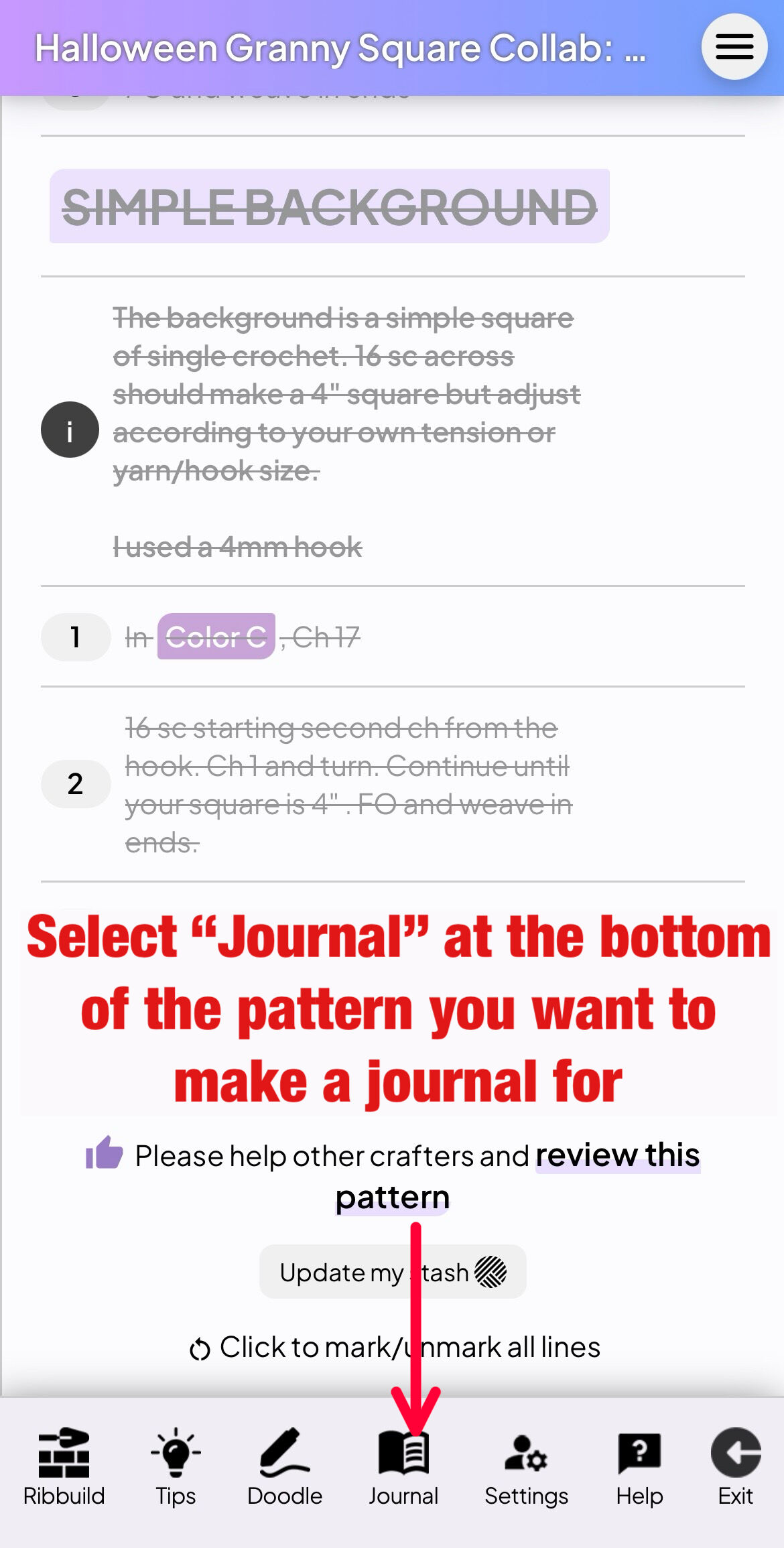
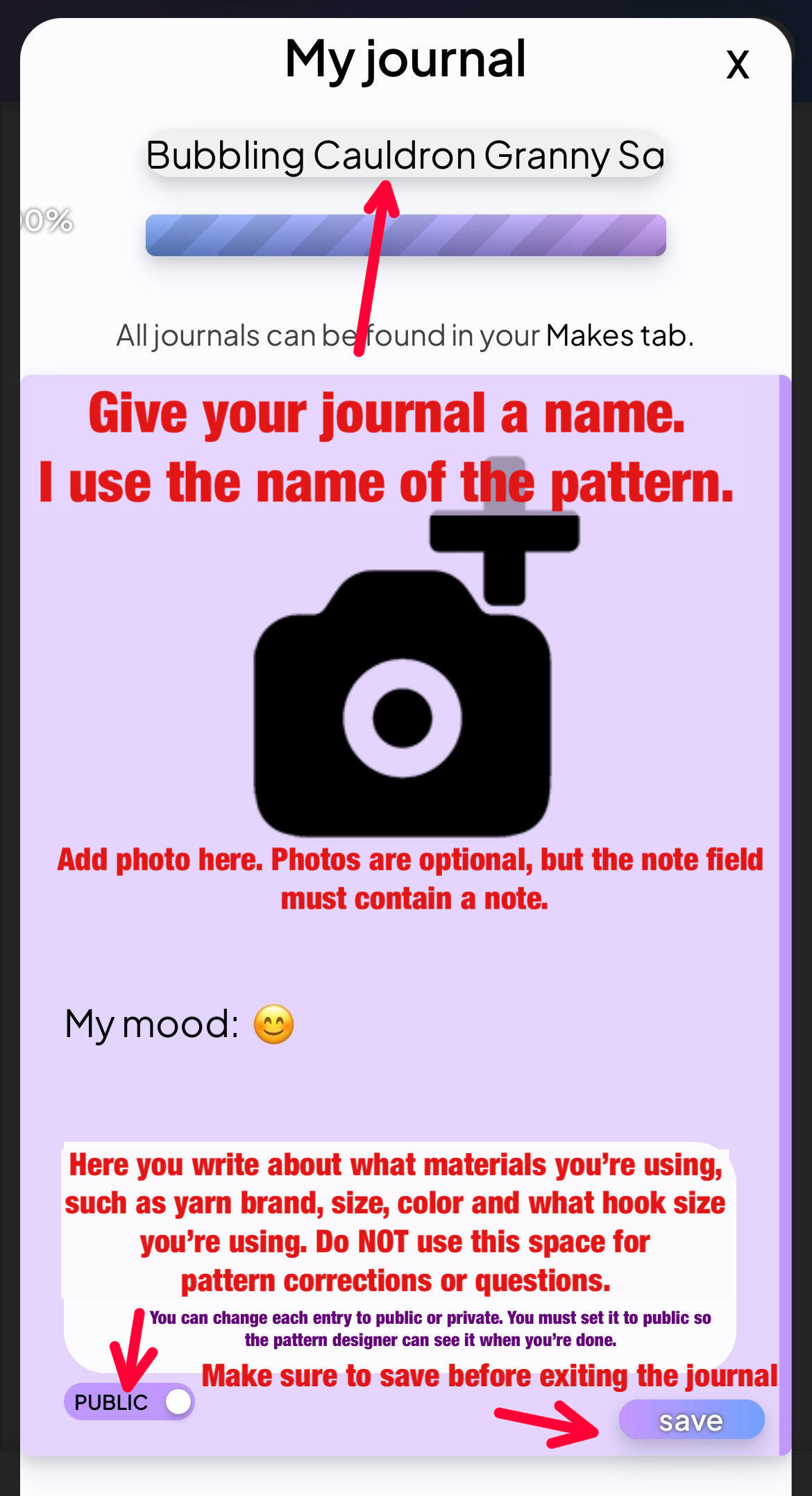
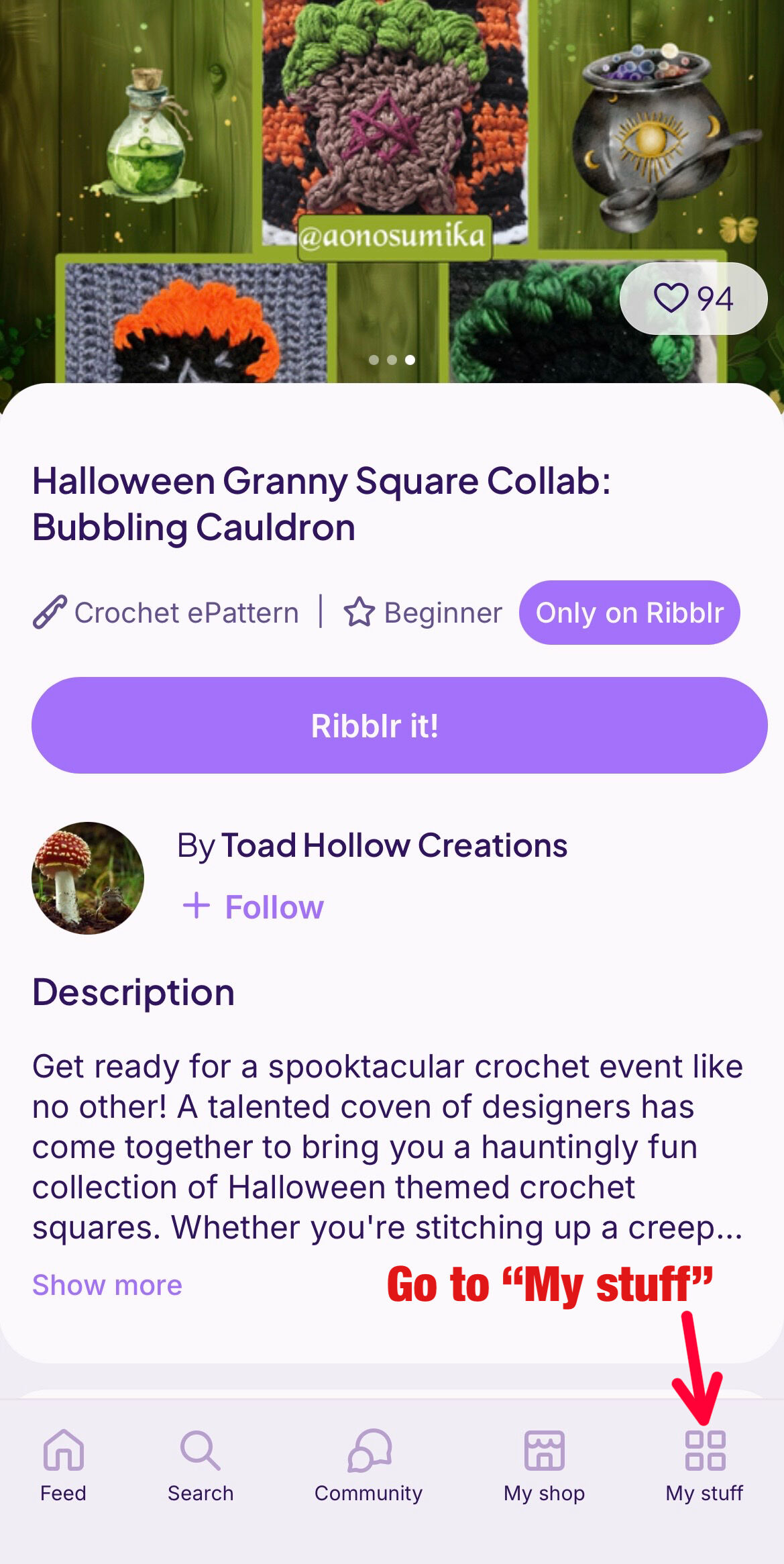
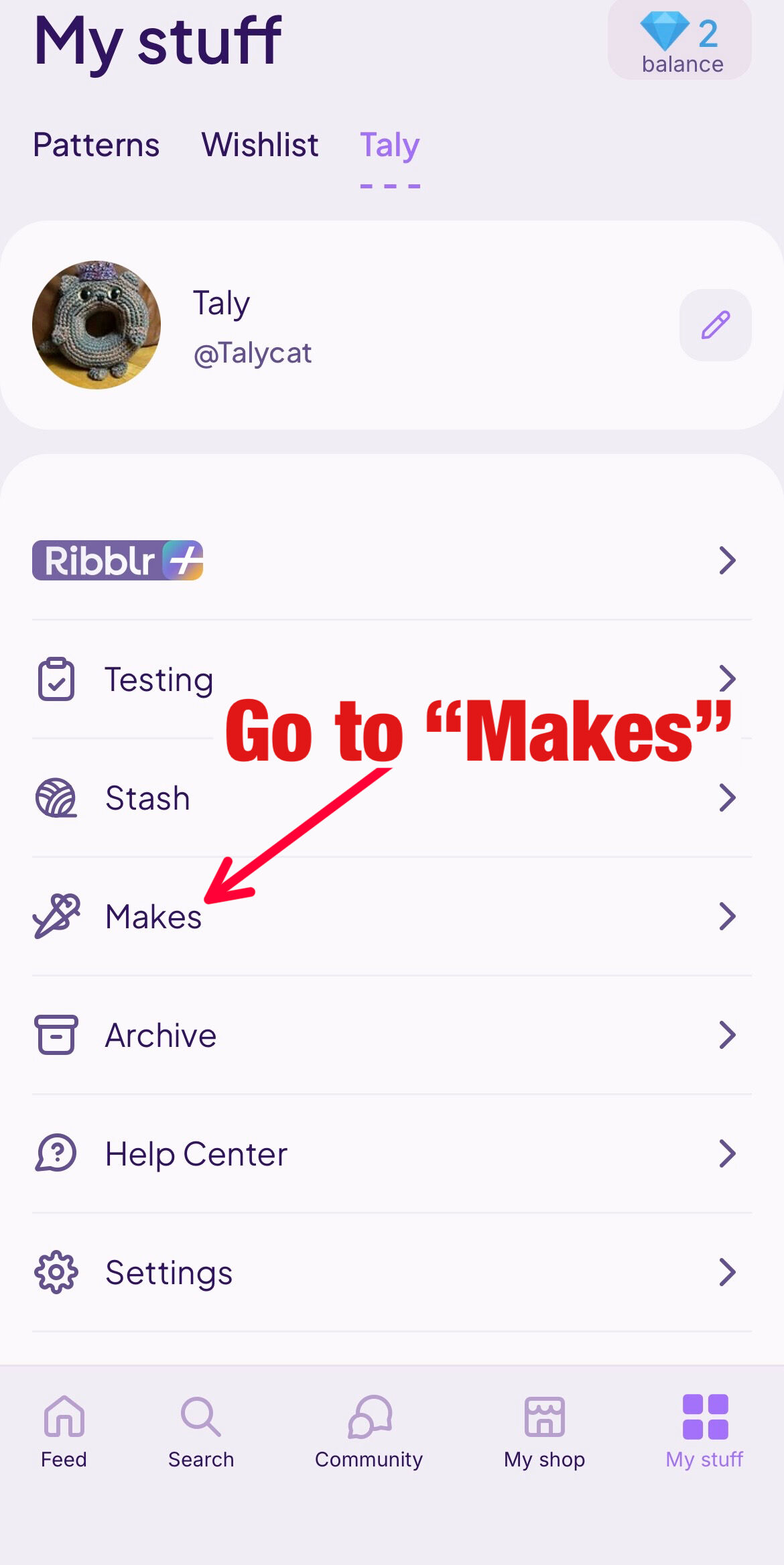
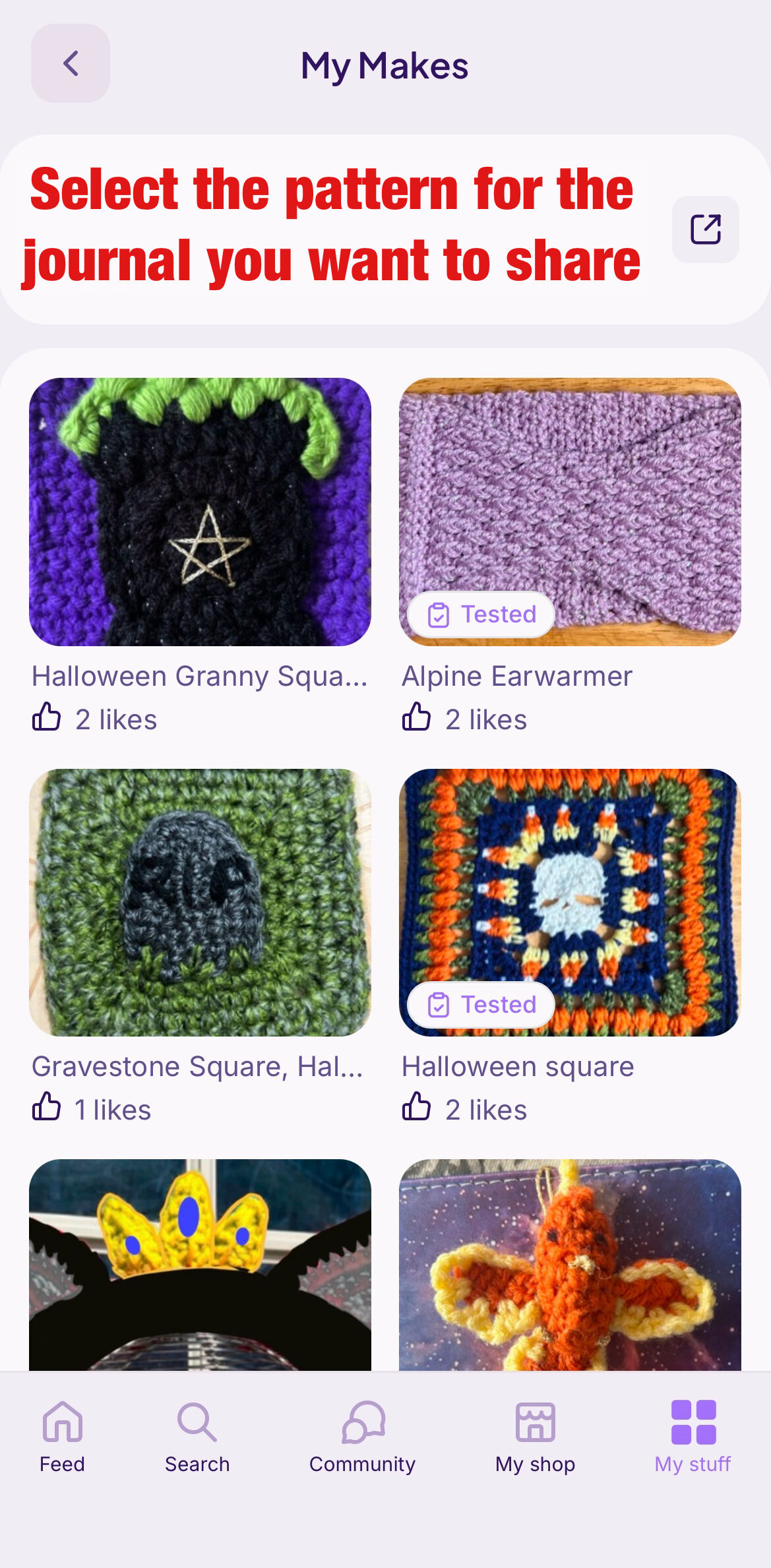

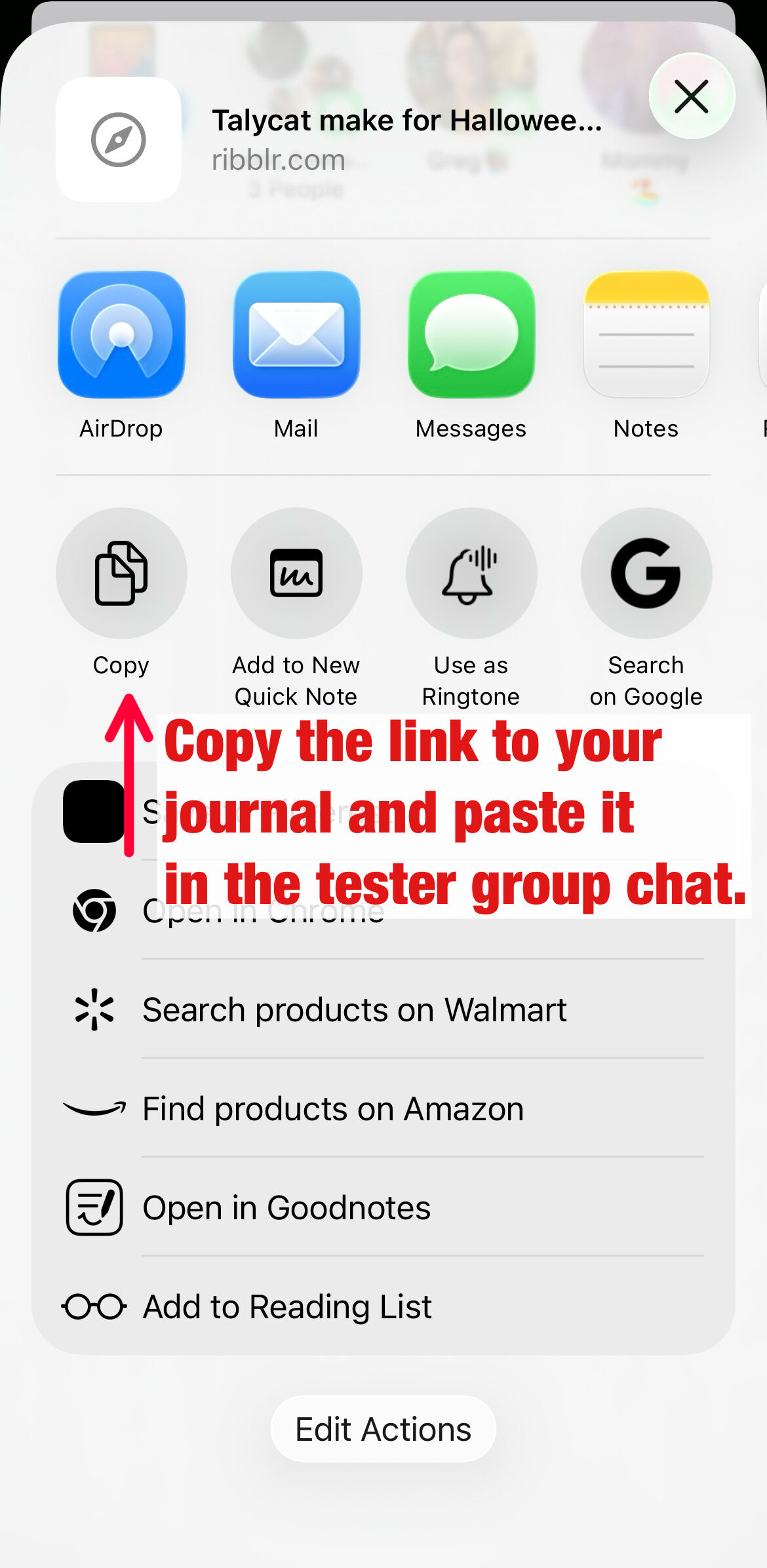
32 Likes
Thank you! This is so helpful 
3 Likes
just so you know the Testing zone is for tester calls only! :)
2 Likes
Thank you! I wasn’t sure where to put this lol
3 Likes
omg I needed this!! You’re an angel, thankyou
3 Likes
I’ve been thinking about doing this tutorial for a while but your post inspired me to actually do it 
3 Likes
Just so you know. If you start a journal at the beginning of testing. Like with your yarn and hook choice, it shows up in the testing place for the creator to follow along. No need to copy paste, unless you want to share with other testers. Once the pattern goes live, all can see it.
5 Likes
This is amazing, I have a tester who is really new to ribblr and I will be sending the post link there way! Thank you so much , ribblr, at first can be a lot to navigate and overwhelming. So I truly appreciate this as a user who used to not even know group chats and private messages were a thing

4 Likes
One of my favorite quotes lately is: “It’s only easy if you know.”
4 Likes
This was so very helpful, I appreciate everyone on here being new user friendly!!! 
3 Likes
@Talycat, this is such a thoughtful, helpful post! I bookmarked it to share with new testers in the future. Thank you for this lovely contribution to the community and especially for reminding testers not to put feedback and questions in their journals! 
To say thanks for such a lovely post, I’d like to gift you your choice of two patterns or bundles from my shop. If there’s anything that strikes your fancy, send me a PM and I’ll gift it to you ASAP.
I’ll also pay it forward and you can gift any pattern or bundle from my shop to two other Ribblrs of your choice.
Keep up the good work of being awesome!
-suettle
(rhymes with noodle)
5 Likes
Thank you
2 Likes
This topic was automatically closed 7 days after the last reply. New replies are no longer allowed.