
Comment if you wanna test!! So idk how to do it professionally so how this works is you comment if you wanna join then in two days on Monday I’m going to message you guys the pattern separately and personally and if you need more time or wanna drop out just pls let me know and this is for my Ilu amigurumi btw!!

15 Likes
To do the test you have to click the little clip board button on the pattern, then make the post that way
First
4 Likes
please click the settings button on your pattern, manage testing, and then post a tester call
5 Likes
Hey! Please check the help center and the testing guidelines if you want to make a for real tester call!
5 Likes
how tho?
2 Likes
Ohhh wait
You need to open a shop and write the pattern down
3 Likes
what I said
2 Likes
Ooo new pfp I seee
1 Like
yeeess
2 Likes
It’s adorable
2 Likes
You may want to think about a different picture. I have no idea what you’re texting, I see crocheted yarn. Maybe a scarf or garment? I literally can’t tell.
8 Likes
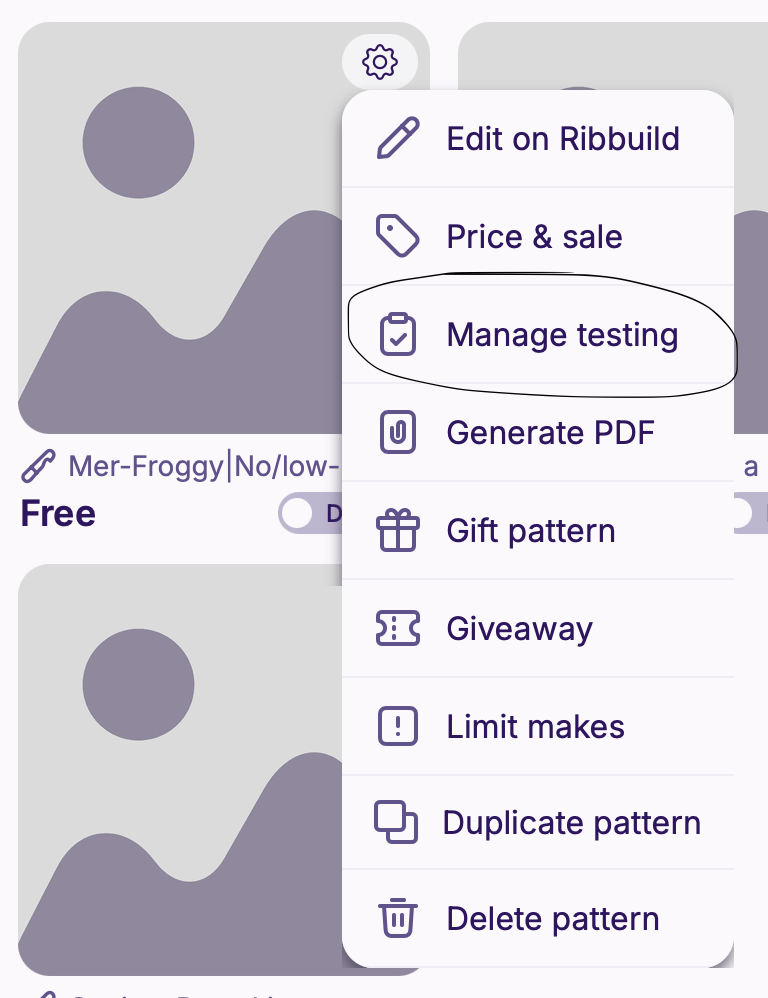
press this, then press:
well actually you have to press post a tester call but i messed up the picture after you chose all your testers then you can press assign tester then press message testers after you chose your testers.

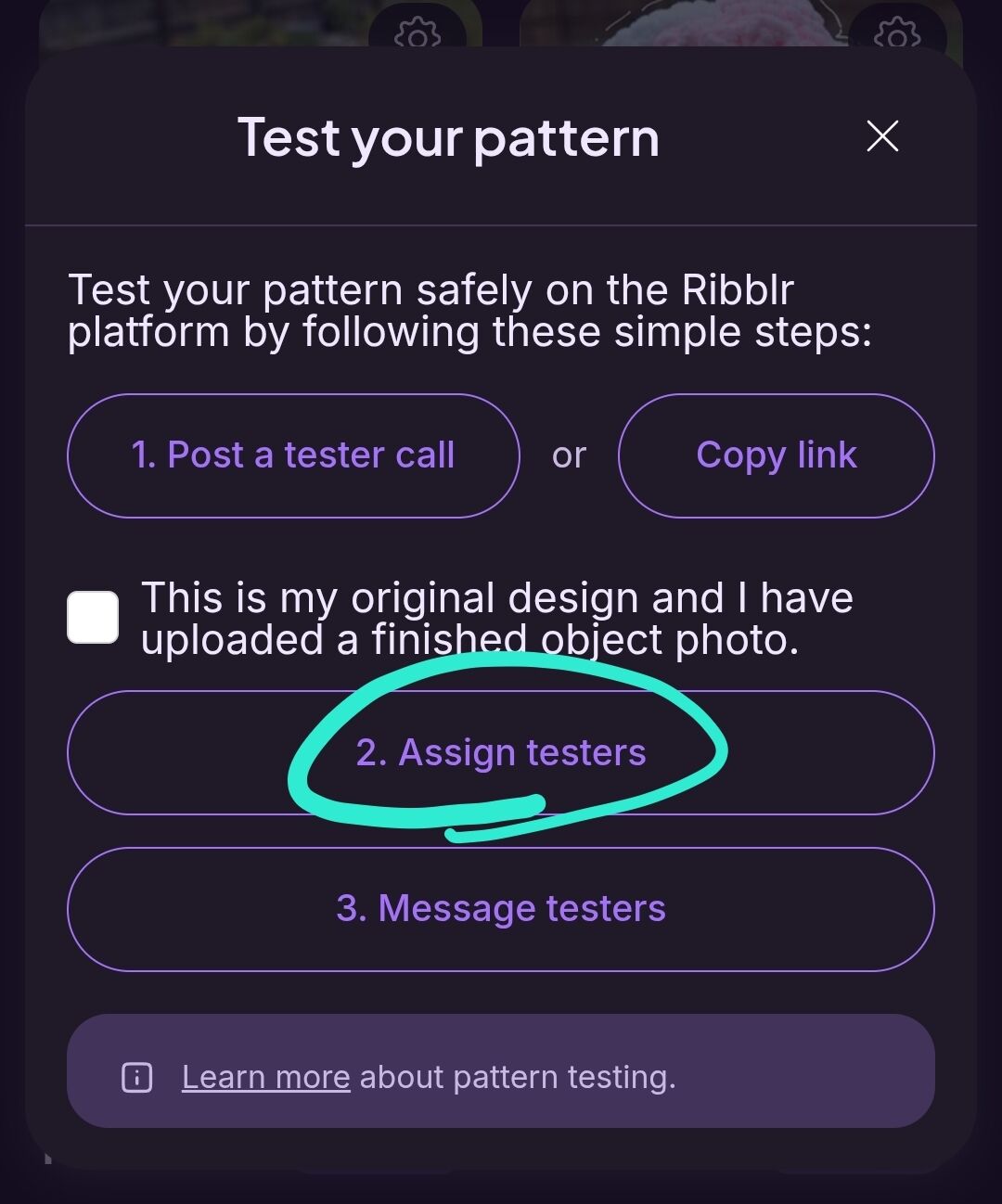 after you chose all your testers then you can press assign tester then press message testers after you chose your testers.
1 Like
first u gotta open a shop
go to this link to open one
then u need to type up the patttern, then u can have a tester call! if u want a detailed version feel free to pm mee
2 Likes
tysm  @keitotatsumi made it for me!
2 Likes
a www thank youuuuuu
np i r
lly enjoyed helping you make it :3
2 Likes
yesss thx sm!
1 Like
heres how to make a tester call!
The Whole Testing Process
Making the tester call
First, you go to your shop on Ribblr, scroll down to where all your patterns are and on the pattern that you want to make the tester call for, press that wheel button on the top right corner of the picture
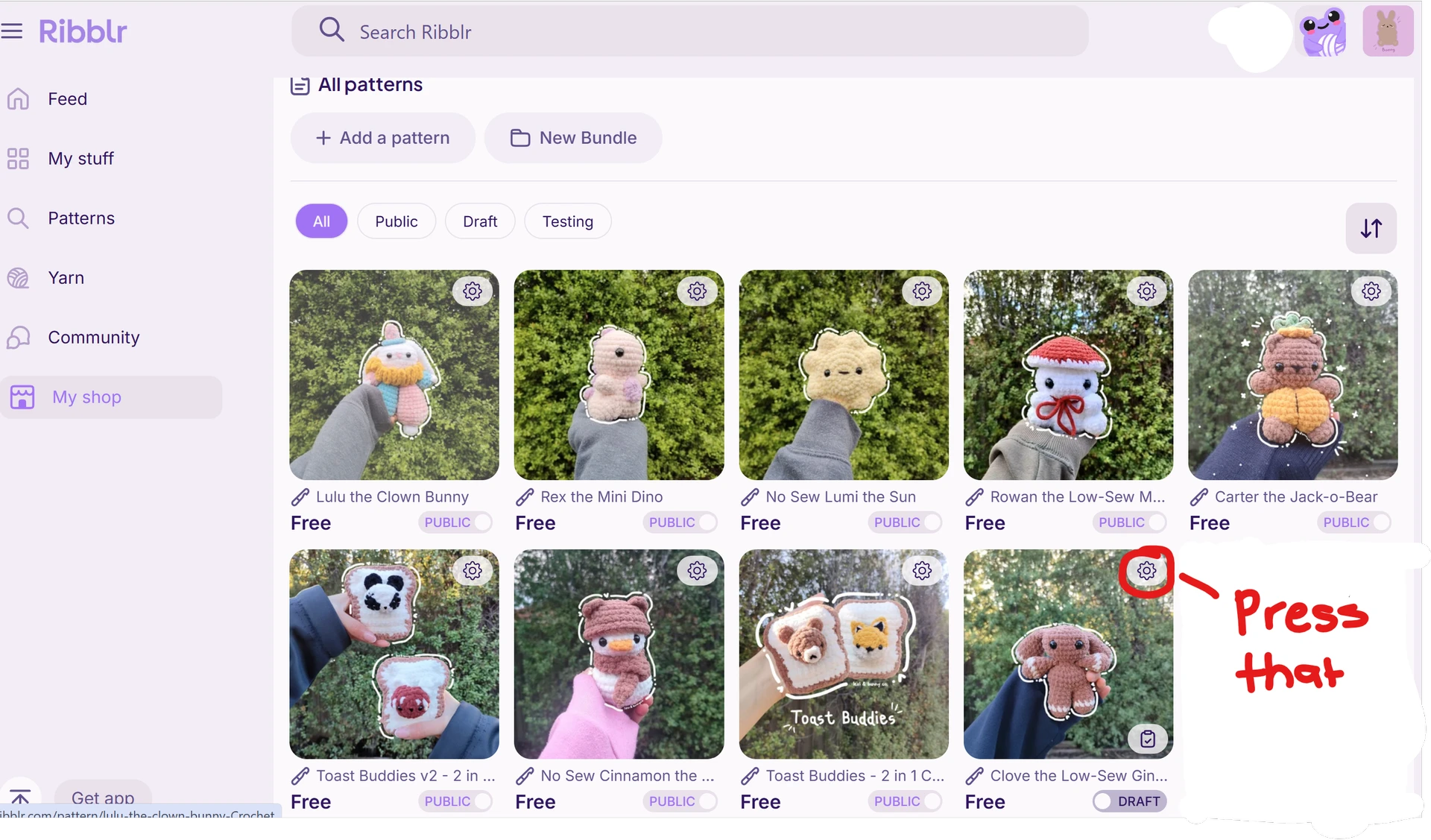
Then, it’ll pop up with a list of options to do. Press the ‘manage testing’ button.

It’ll give another pop up, tick the check box and press ‘1. post a tester call’
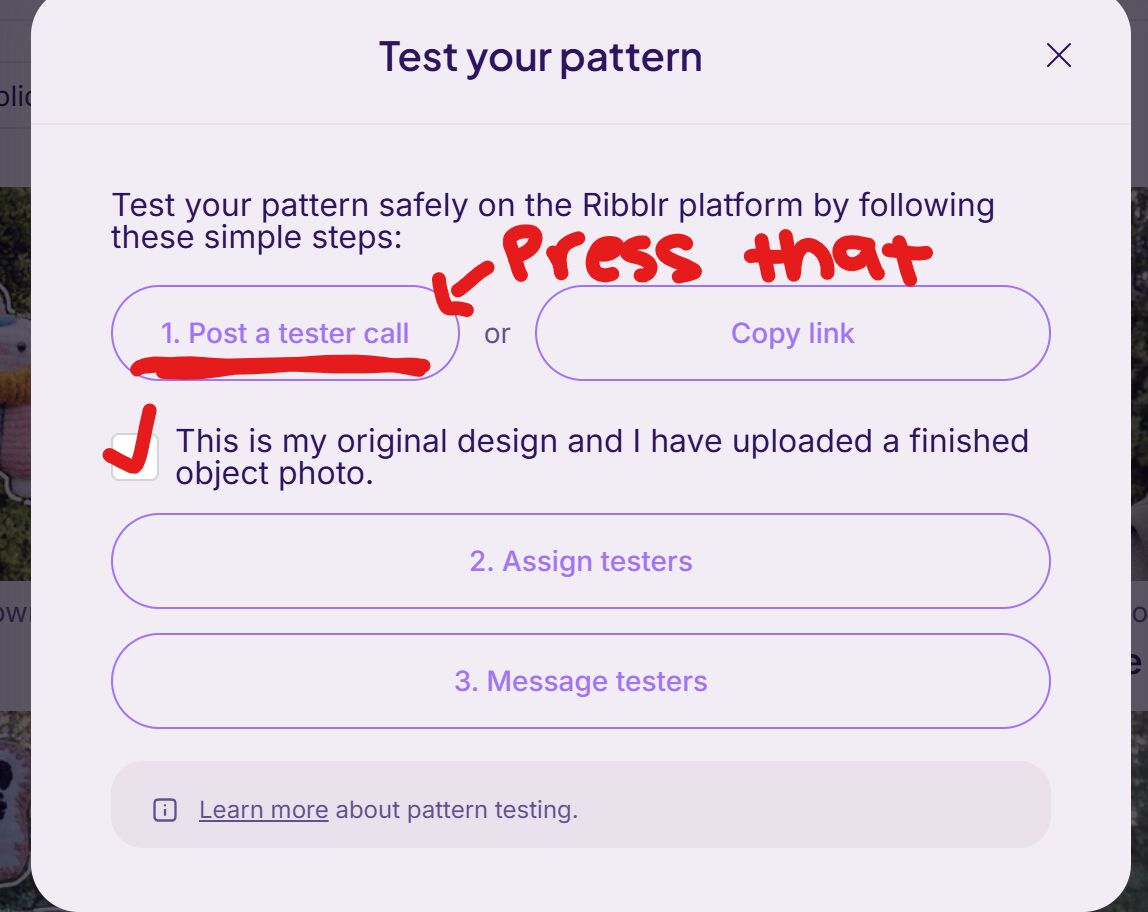
Then redirect you to the community testing space, and now you can edit the topic writing with the due date, and any requirements such as what people should put in their comment (like hook, colour, yarn) and anything else you want!
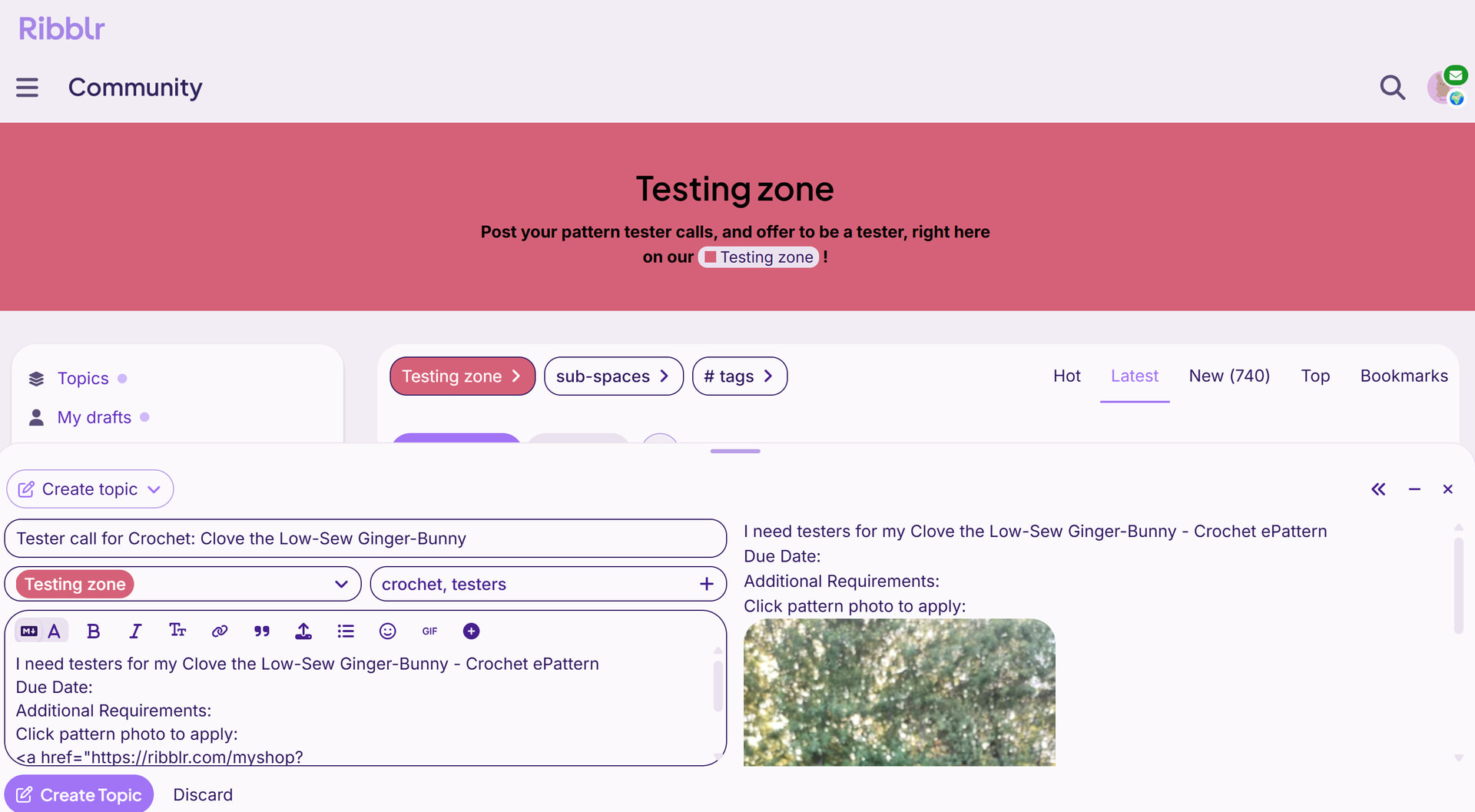
then you can post the tester call and wait for testersss!
Chosing testers
To choose testers, go back to your shop and instead of scrolling down, just find the button that says ‘shop manager’ and press that.
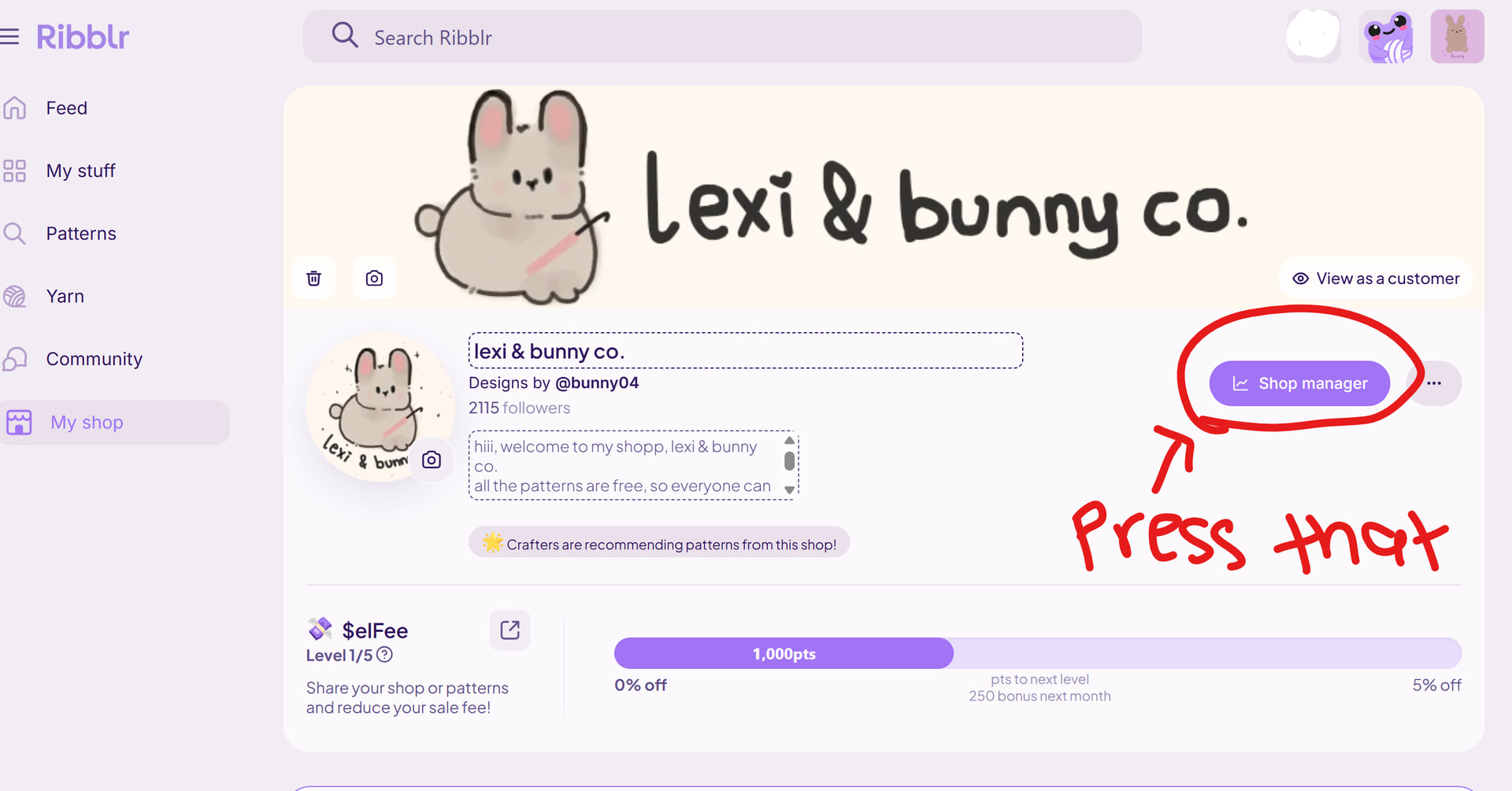
Then press ‘testing’.
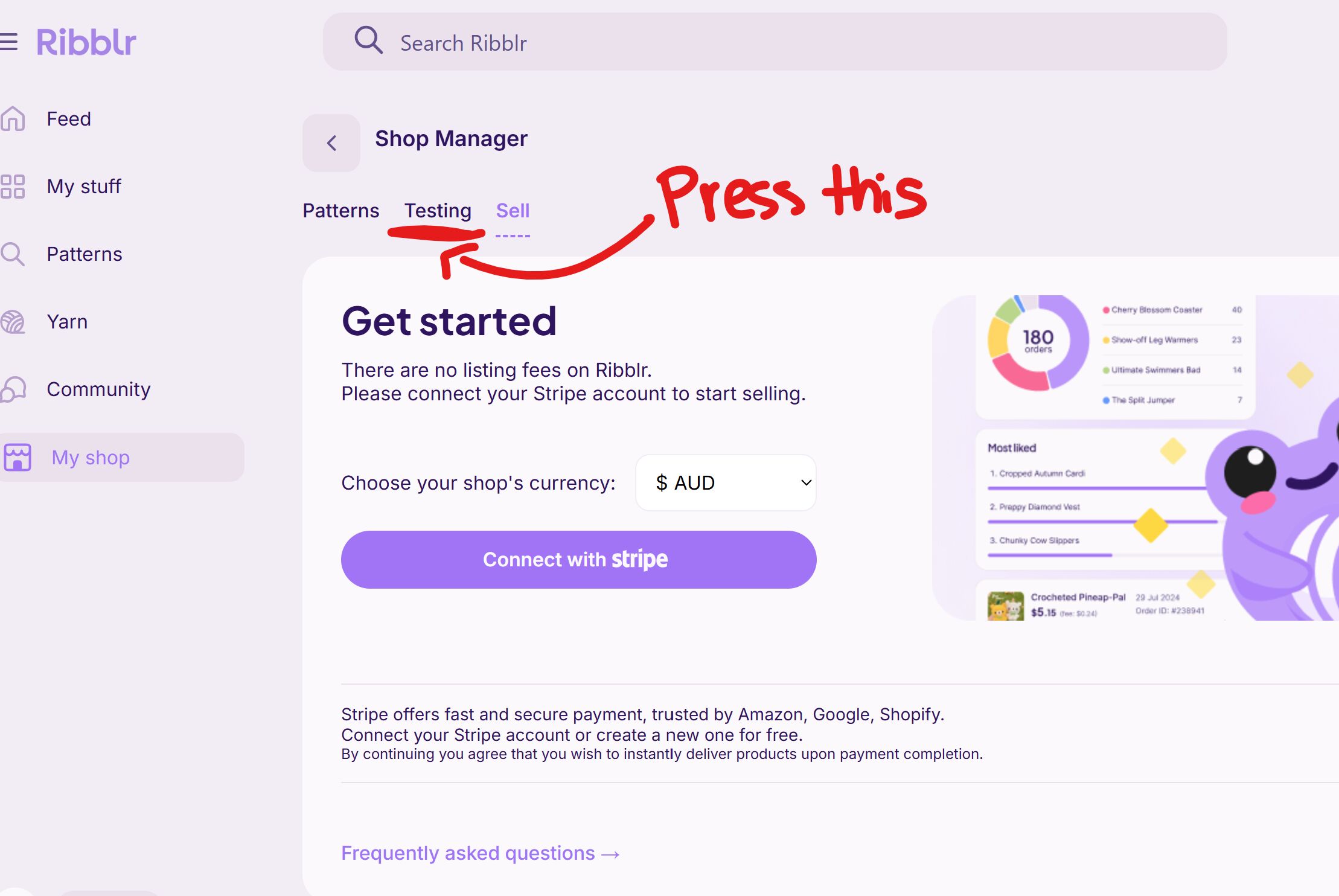
Scroll down
- Press the arrow to show everyone who applied
- You will have an option to either accept, reject or block the people who applied. Its a different screen for mine, but yours will either be ‘accept’, ‘reject’, or ‘block’. Accept the testers you want to have, and reject the rest
- Then once you choose your testers, set the due date to whenever you want it to be due by
- Lastly you can message the testers. When you press that button, it’ll be a pop up and you type in the details (like due date), and that they have been accepted to test. it’ll then send a pm to everyone you’ve accepted.

Once they’re done testing, make sure they’ve done a journal, go back to that page (shop manager, testing) and gift them the pattern!
Making a tester appreciation (optional)
When people have finished testing your pattern, you can make a tester appreciation on Canva or another website, just put in the finished products that your testers did as well as their tag (@___)
To get the photos of your testers makes, you can either screenshot their journal or ask them to send a photo of the finished make in the pm.
Releasing the pattern!
Once everyone has finished testing, and you’ve gifted the pattern to everyone, you can release the pattern and make the topic release! (If people haven’t finished yet, and its past the due date and they haven’t responded to your reminders, you can remove them from testing)
To make the pattern public on your shop, go back to your shop page, scroll down and on the pattern that you want to release, press the ‘draft’ button
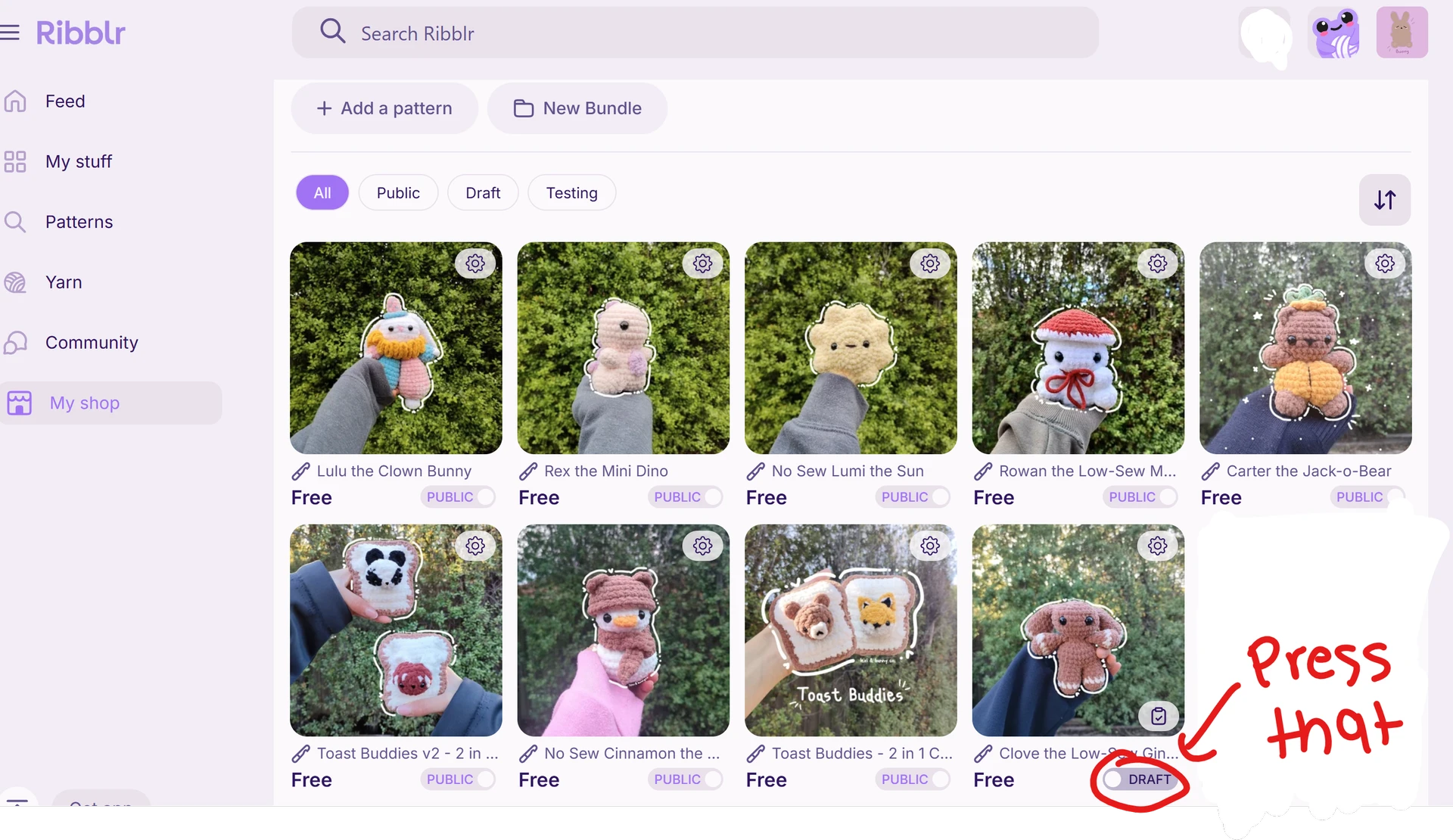
then
- You can set the price, if you want it free just leave it as $0
- If you want people to follow you before getting the pattern, tick the ‘followers only’ box
- If this pattern is only on ribblr, and you want to let people know that, click the ‘only on ribblr’ tick box
- Then you can click publish!

Making the release and tester appreciation post
Now you can make a post on the pattern release and/or tester appreciation!
Make a post, title it {pattern} release (and if there is one) and tester appreciation!
You can say something like ‘{pattern} is now available for free (if its not free just replace it with the price) on my shop!’
Then insert the pattern link here
You can also tag the testers saying like ‘Thanks to my testers @___ @___ @__ .etc for helping me test this pattern’ and if you have a tester appreciation photo you can upload it here.
Then post the topic, and you’ve made and published your own pattern!
3 Likes
Your welcomeeee they did a great job
3 Likes
looks cute, hope you figured out how to make a tester call!
1 Like