
I am new to Ribblr but not new to crocheting and I have made so many things that aren’t patterns on Ribblr but on YouTube and Pinterest instead. I want to add like these things that I’ve made that aren’t on Ribblr, but I have to have made it on Ribblr for me to put on as the right thing and I would love if they can make it just like to add a photo of any crochet or knitted, I am that you’ve made. I love testing products for people, but most of them won’t accept me because I have very little pictures I would love if they can fix this
11 Likes
yeah they wont let you add things not on ribblr
I suggest making patterns on Ribblr and posting a journal or adding photos of your makes when you apply
8 Likes
Thank you so much for the tip I will start tweaking the patterns I have crocheted so I don’t get I don’t know copyrighted I know it’s very unlikely but you never know LOL
5 Likes
that’s also not allowed, since it’s stealing
7 Likes
Exactly
5 Likes
I will now!
5 Likes
Actually since it’s a “Suggestion” I can’t mark it as solved but that’s a mistake on my part Thank you so much for the help I followed you just In case I need more help :)
7 Likes
You have it in the correct area! I think other people have suggested something similar. Maybe there needs to be an extra photo album or something where we can place non-Ribblr makes. Is a good suggestion!
7 Likes
Thank you for the support!
7 Likes
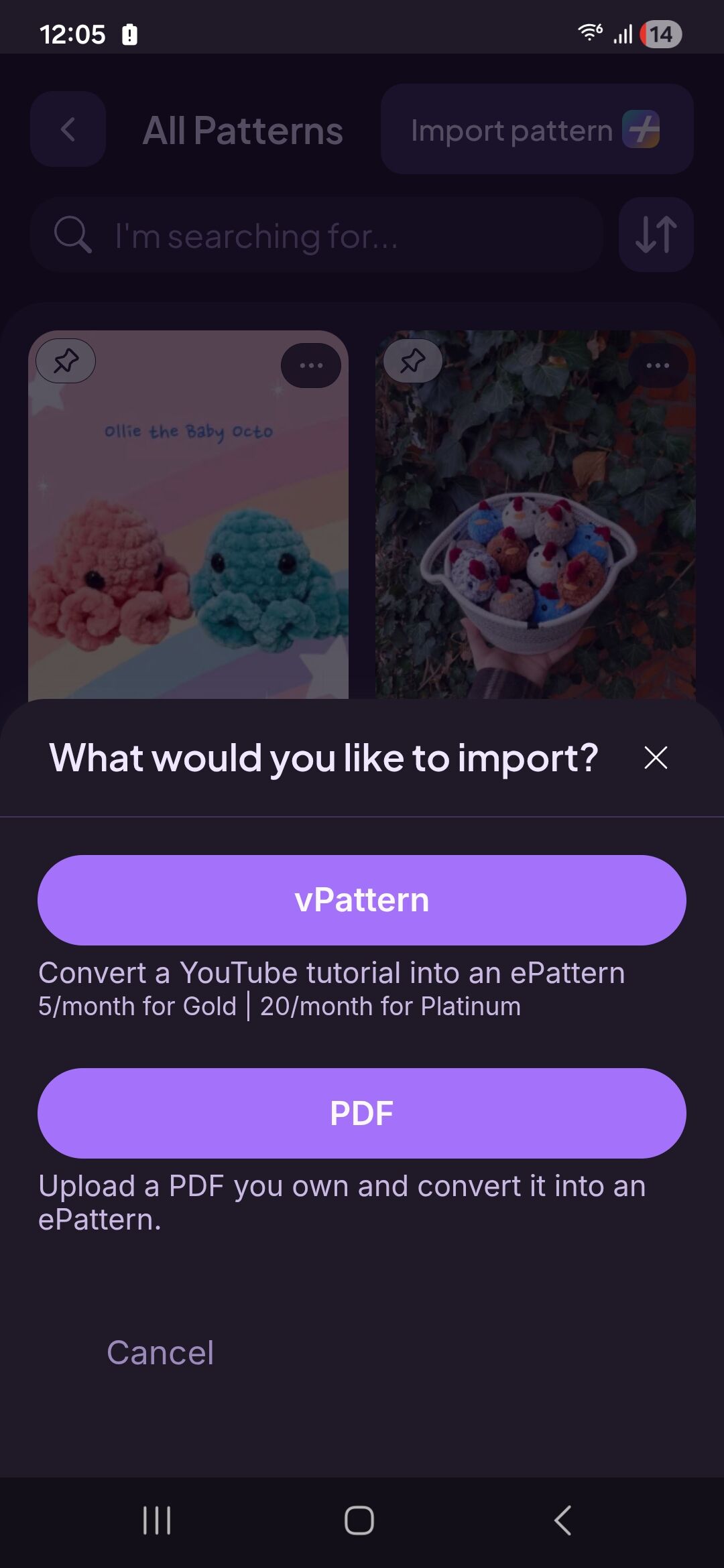
This is available for Ribblr+ users. You can import a pattern from other sites or pdfs. Then you can add a photo of your make to your journal 
5 Likes
Oh! That makes sense at least I know that if I ever Rbblr+. Thankyou
3 Likes
I also thought about making this suggestion. This would be so useful! Too bad that it‘s only for Ribblr+ because I can’t afford that. 
2 Likes
I was thinking along the line of just having a photo of an outside make and not the whole pattern imported
5 Likes
I second that there should be a gallery feature for ALL users that simply has a photo and a title. It’s so frustrating to have years, decades, of experience and it feels like you have nothing to show for it on here unless you make something that comes from Ribblr. There are new people who haven’t had time to make something here, or found something that interests them, and then they can’t display what they are capable of as testers or whatever. Maybe Ribblr+ lets you have a thread that people can chat in or something?
2 Likes
Pattern Tests - Please don’t be deterred because you don’t have any makes on Ribblr as yet. When applying to test, you can upload pictures to your response when replying to the tester call. This is actually asked for by many designers to encourage new testers to apply.
Additionally, if you want to, you could find a couple of patterns listed here on Ribblr, work them up and make a journal for them. That way you will have a couple of examples of your work in Ribblr to give you a start.
In order to upload other patterns into Ribblr you need to have a Ribblr+ account. 
1 Like
Ok so I’m new here too , I was told earlier in my help a newbie post that I can post any make and link any designer.. ( non ribblr) ..
From what your saying , I can only post makes from patterns on here .. unless I have ribblr plus.
I’m still trying to navigate things atm 

 . And just following people and adding to wish list.. can I ask if I buy a pattern .. can I download it or is it just on here ? Any help is much appreciated
2 Likes
I think there’s been a little misunderstanding. 
Your earlier post, “Help a Newbie” said
We replied with:
However, you’re now talking about posting and linking.
As for posting, you can post about any of your makes and what patterns/designers you used, even if they aren’t from designers here on Ribblr. You can also include links to external sources in your posts here.
What we were saying about Ribblr+, is that, if you want to upload external patterns into ‘Your Patterns’ folder in Ribblr, you need to have a Ribblr+ subscription/membership to do this. You can then make a journal about making those patterns and they will be added to your makes folder.
When you add a project (work up a pattern), it can only be from a pattern you’ve used on Ribblr.
If you buy a pattern here on Ribblr, you generally only have access to it electronically here on Ribblr. The idea of this is to protect designers from having their patterns stolen and uploaded elsewhere, or photocopied and distributed to others without the designer being paid. However, there are some designers who do also offer a pdf version of their pattern as well as the electronic version here on Ribblr. Each designer has control over how they choose to distribute their pattern, so my suggestion is to ask the designer before your purchase a pattern.
I do hope this has cleared up any confusion. Let me know if you need further clarification and I’ll do my best to explain.
3 Likes
I think so lol  . I’ll get there I’ve only this had account just under 2 days
I’ve seen a few designer I have purchased from before too while I’ve been having a play.
So say I’m working on a snowman from a book ,the author has their own website where this can also be purchased… I can post my make and link her site ? I fully understand about copyright etc.
Some sites need to tighten that up too . I know designers that have had their patterns stolen . it’s so unfair  but certain sites don’t help them
It would be very useful and same here can’t afford that
That’s a good idea