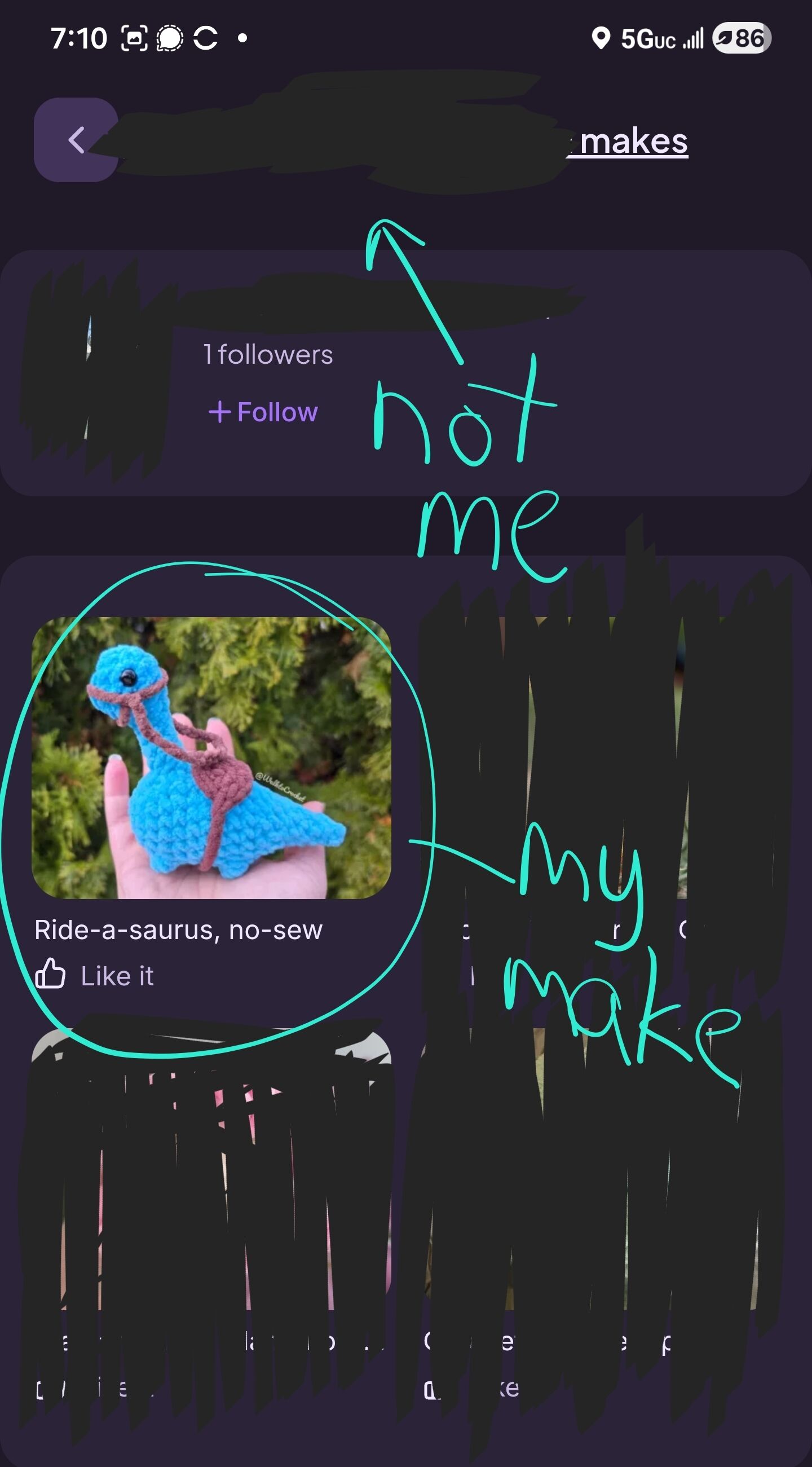
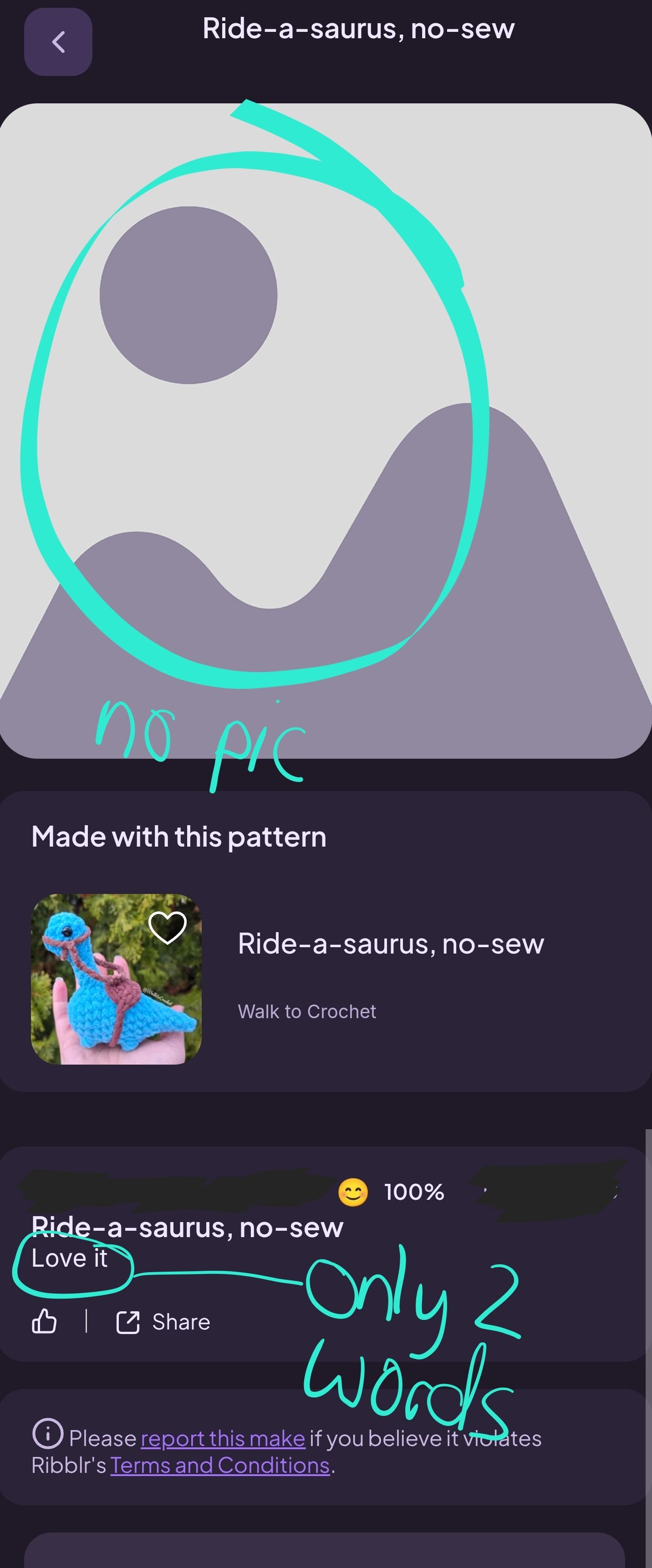
I just learned that if no picture is added to someone’s journal but they put words in a journal, the system uses the main picture for the pattern as the pic that shows up on that someone’s makes page. This essentially passes off the pattern pic as their make. Not cool.
As a designer, I look at people’s makes to see if they take decent pics, and to get an idea of their skill level. I looked at a potential tester’s pic and chose them because of the quality of their makes. Turns out every one of their makes were the pattern pictures.
I am working with this tester to fix the issue of them accidentally passing off MY make as their own. (They are newer, so I’m assuming it’s accidental)
That said, @Ribblr needs to change what happens if a picture is not added to someone’s journal. You should have that grey generic mountain pic show up, or not allow a journal to be posted without a picture.
Well, what we can do until Ribblr fixes the problem is to actually click on the makes on their makes pages. I found this useful in a second way as I can see what kind of reviews they leave.
(Was so tempted to tag Ribblr again… really hope the tech team can fix this.)
Just to add a bit more context - this was an intentional decision. The main purpose of the Makes page is to help makers quickly find their own journals. When no image is available, defaulting to the pattern image makes it much easier for makers to recognize and locate their journals.
That said, we completely see your point. From a designer, when scoping out testers, this can definitely be confusing.
And that is exactly why Suggestions exists, so thank you for using it so thoughtfully.
We have already logged this internally and will have the team look into possible improvements and solutions soon.
I see your point, maybe if there is no photo, can the pattern photo it defaults to have a tag on it that says “Pattern Photo" (like the “Tested" tag) or something so designers and the person themselves can know who’s pic it is?
Agree, there was one that I saw where the only reason I knew it wasn’t their make was because it had the “Free Pattern” graphic on it from the original pattern. Made me double take because that wouldn’t be there for a make. Otherwise I would have no clue. Having something that appears that identifies its not a make but the original pattern would help.
I can see the reason its done the way it is though, it does make it easier to find a pattern in a sea of makes. Hopefully you guys can work together for a good solution
For those pattern designers out there, do you just look at the makes page (so you have all the person’s makes on the screen facing you) and scan them to get a feel for the potential testers skill/ability, or do you ever click on an individual “make” to review the journal attached to it?
In my personal experience (with my own journal), I noticed that the lack of a maker’s own product photo on their “makes” page, could be the result of the following:
It may be an indication that a pattern they have started is not yet complete, ie: it’s a WIP but a journal has been started.
It may be that the maker is currently in the process of testing a pattern and has not yet completed the test/taken photos to upload as it is incomplete, however they’ve started a journal as a requirement of the testing process. For example, if you look at my makes you will see that I have “Flurry the Dragon” and “Waffles the Chunky Donkey” showing up with the pattern designers photographs. This is because I’m in the process of testing them. I’ve started a journal and put some information in there but they’re not quite finished.
It may also be that they have taken photos and added them to the journal but just not added a photo in their final journal entry.
I realise though that there are some ‘pattern testers’ who are intentionally being deceptive and who are just trying to get free patterns without doing the hard work. They’re the ones giving, those of us who love testing and providing valuable feedback to pattern designers, a bad name.
That is just some insight from my perspective when I look at “My Makes”.
This option is actually not accurate. If there is a pic in any of a maker’s journal entries, the system will not use the pattern photo. I know this because another tester had finished their journal, but had not marked all the lines. They updated the journal with a new entry for the 100% but didn’t add a new photo. The make on their makes page is their pic in the previous journal entry.


 how annoying!

