
Does anyone know how to change there profile picture I can’t seem to figure it out

6 Likes
Go to your community account by pushing your pfp in the corner at the top and change it then go to the bottom and push save changes. for me it took a few refreshings of the app before it changed but it’s changed now so I hoped this helped a little
2 Likes
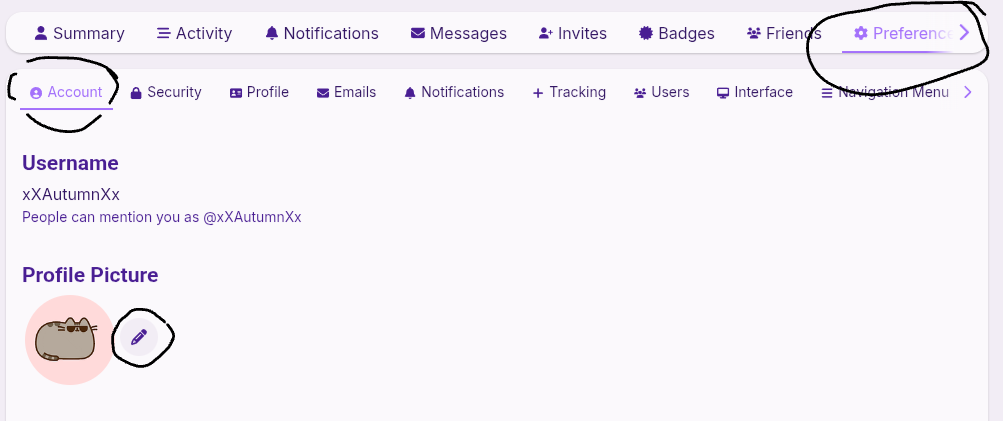
click on your profile picture in the top right corner, then click

this button. after that, go to

preferences and change your pfp there! hope that helped lmk if u have questions
2 Likes
Thank you all so much for telling me how to do it 
3 Likes
make sure you mark whichever reply helped you the most as the solution!