I would make this a pm, but idk how 
Sorry for bothering yall again, but I was trying to change my tag to @feyra22 (bc I dont want my real name on here) but it said I can’t and I have to contact Ribblr support 
Thanks! 

I would make this a pm, but idk how
Sorry for bothering yall again, but I was trying to change my tag to @feyra22 (bc I dont want my real name on here) but it said I can’t and I have to contact Ribblr support
Thanks!
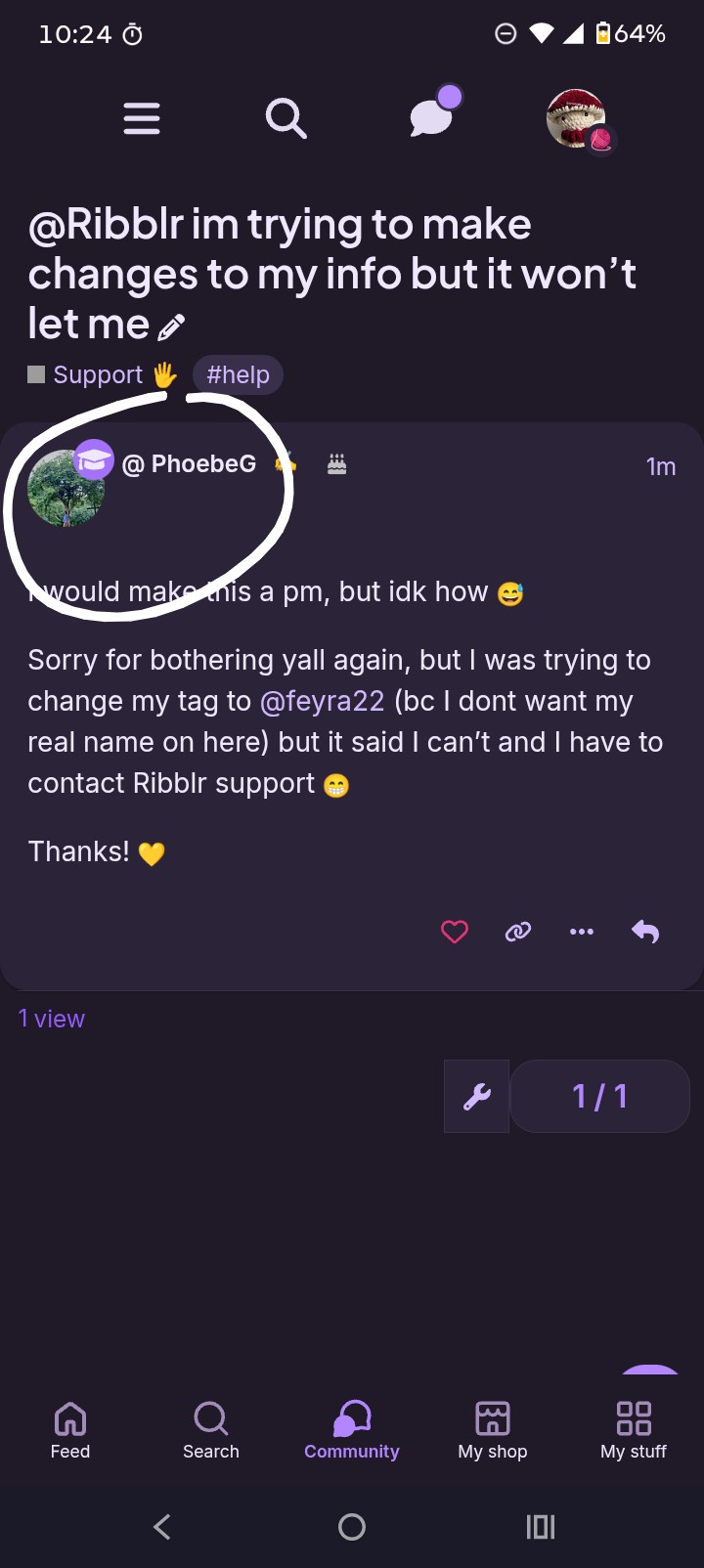
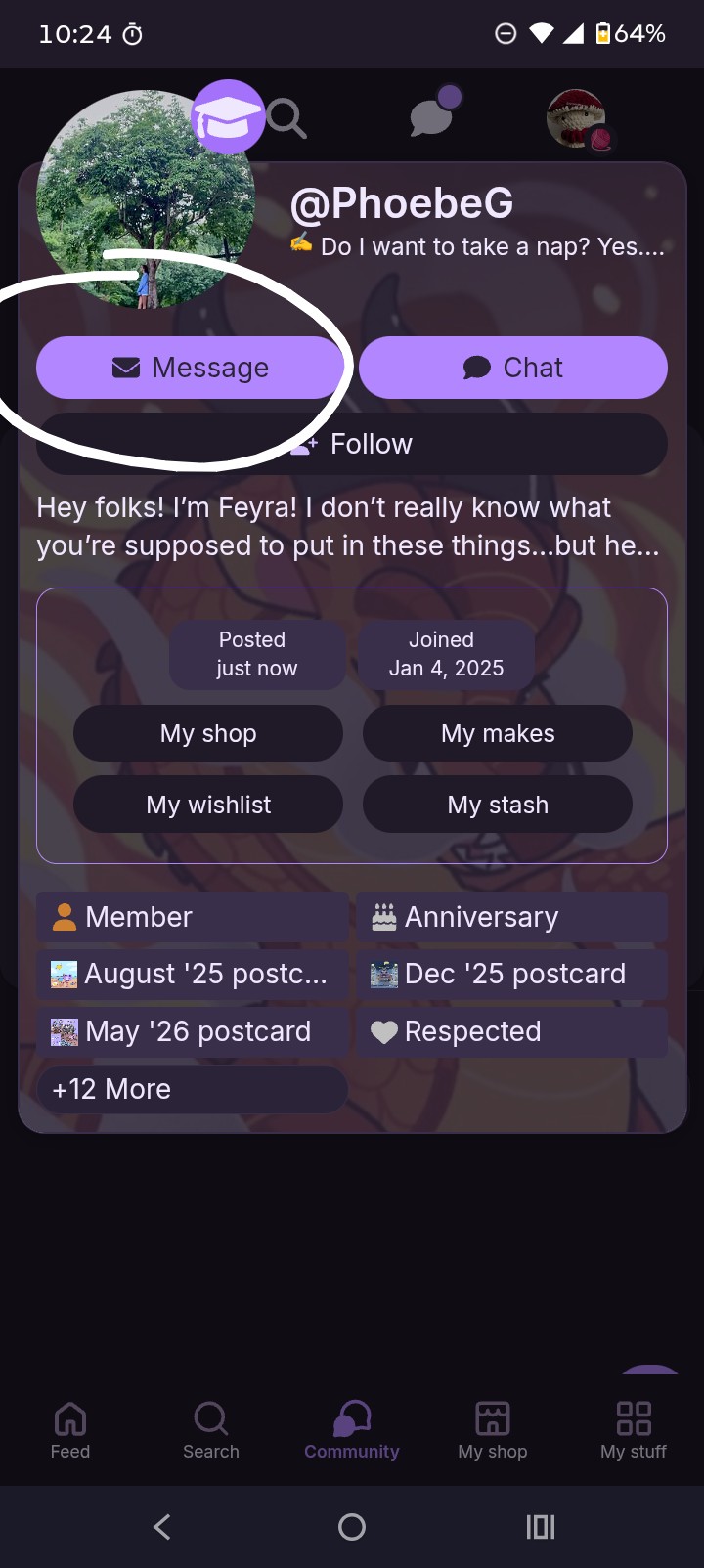
To message you would click Ribblr’s icon/profile pic and then once their info pops up you would click the top left icon that says Message
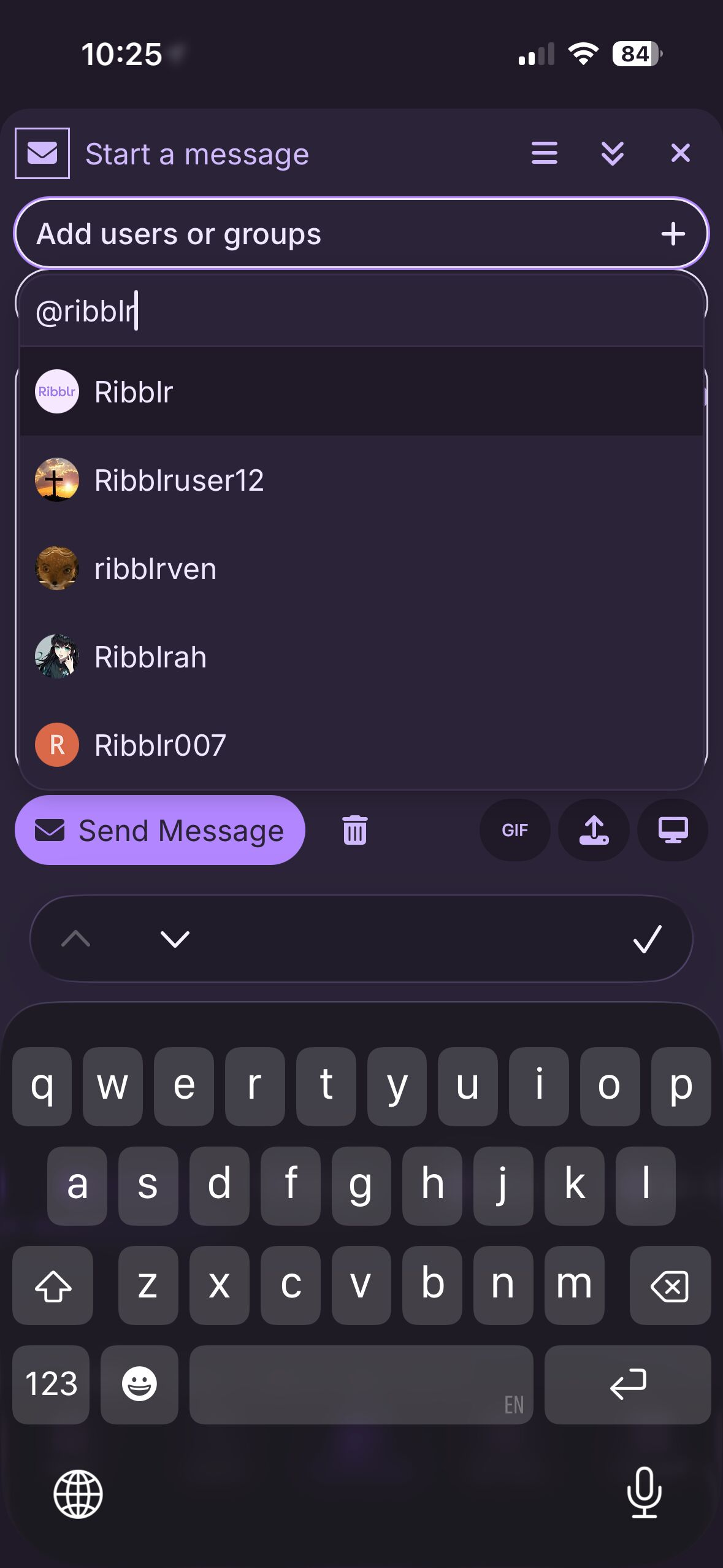
Here’s some screenshots to help
Let me know if you need anymore help/clarification! 
Click on this little envelope icon
It’ll pull up your pm’s, click this button
Then you simply add ribblr to by typing their @ in the search like such
(post deleted by author)