Hello Ribblr!
One of my testers noticed when they clicked on this sub header that it marked off not only the sub header, but also the entire section below until the next header.
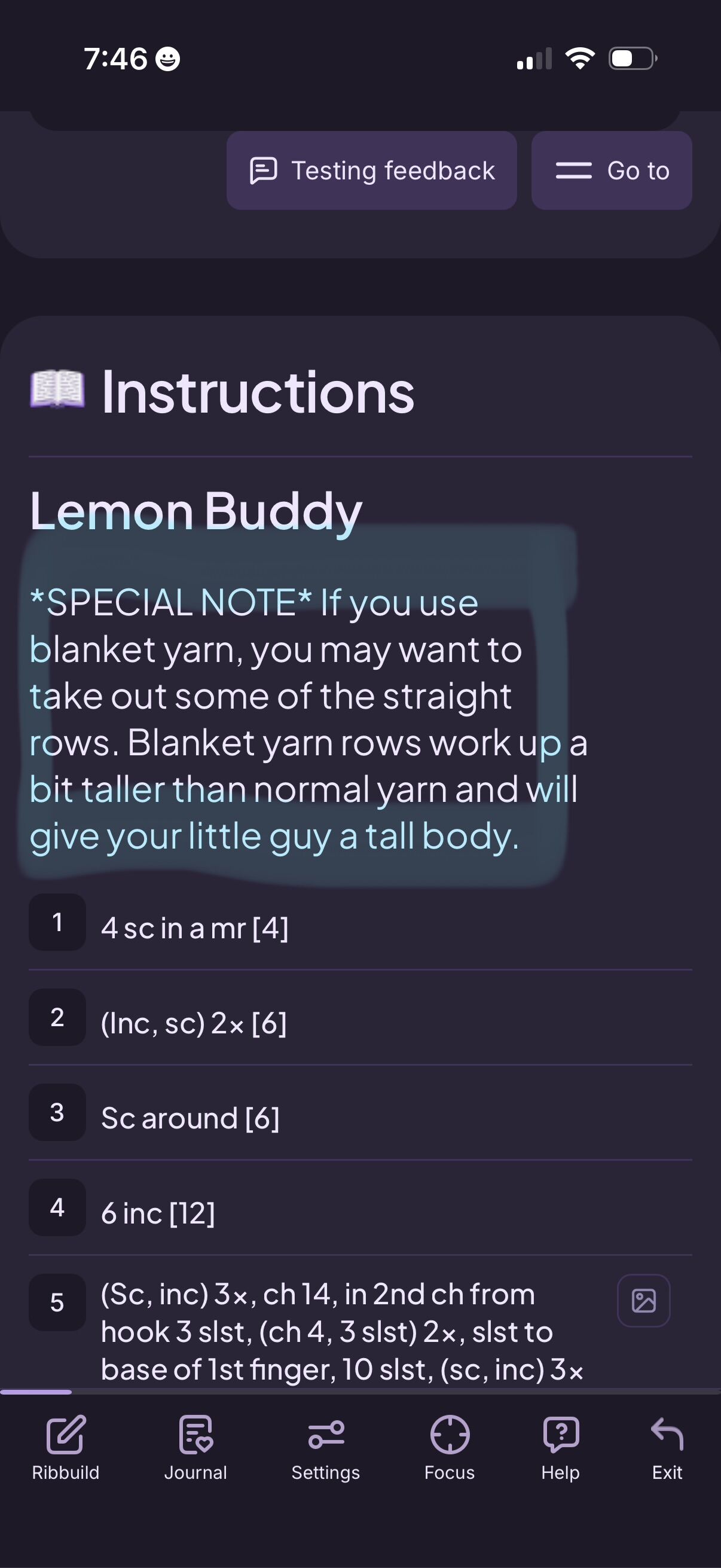
Anyone else having the issue, and how can we fix it?

sorry could you explain clearer?
If you mark of a subheader it marks off the entire section. That is intentional. You’ll want to make that a note instead.
Gotcha. I didn’t know this was a thing, and used it on several patterns, but it wasn’t pointed out until now.
Headers and subheaders are for labeling sections like pattern, assembly, body, head, legs, tail, etc. If you mark of a subheader it will mark off everything until the next section. If you mark off a Header it will mark off everything until the next header 
Is this a new change? I don’t remember this happening with patterns in the past, and it hasn’t seemed to be an issue until today.
This has (to the best of my knowledge) always been the case.
You shouldn’t click on the heading/subheading until you have completed the instructions under the heading/subheading.
Oddly enough I don’t remember this always being the case. I remember having to click on every single row including headers to get patterns to 100% complete until there was the button on the bottom to check or uncheck all rows.
there was a time when subheaders didn’t mark off their whole section but it was supposed to and that was fixed pretty quickly, as I remember it. But yeah, info tags for information. Headers and subheaders for organization and side-pattern hopcuts ^-^
Good to know I’m not completely crazy then :’D
Hey, Crazy is good company! (I’m here, after all. >P)