
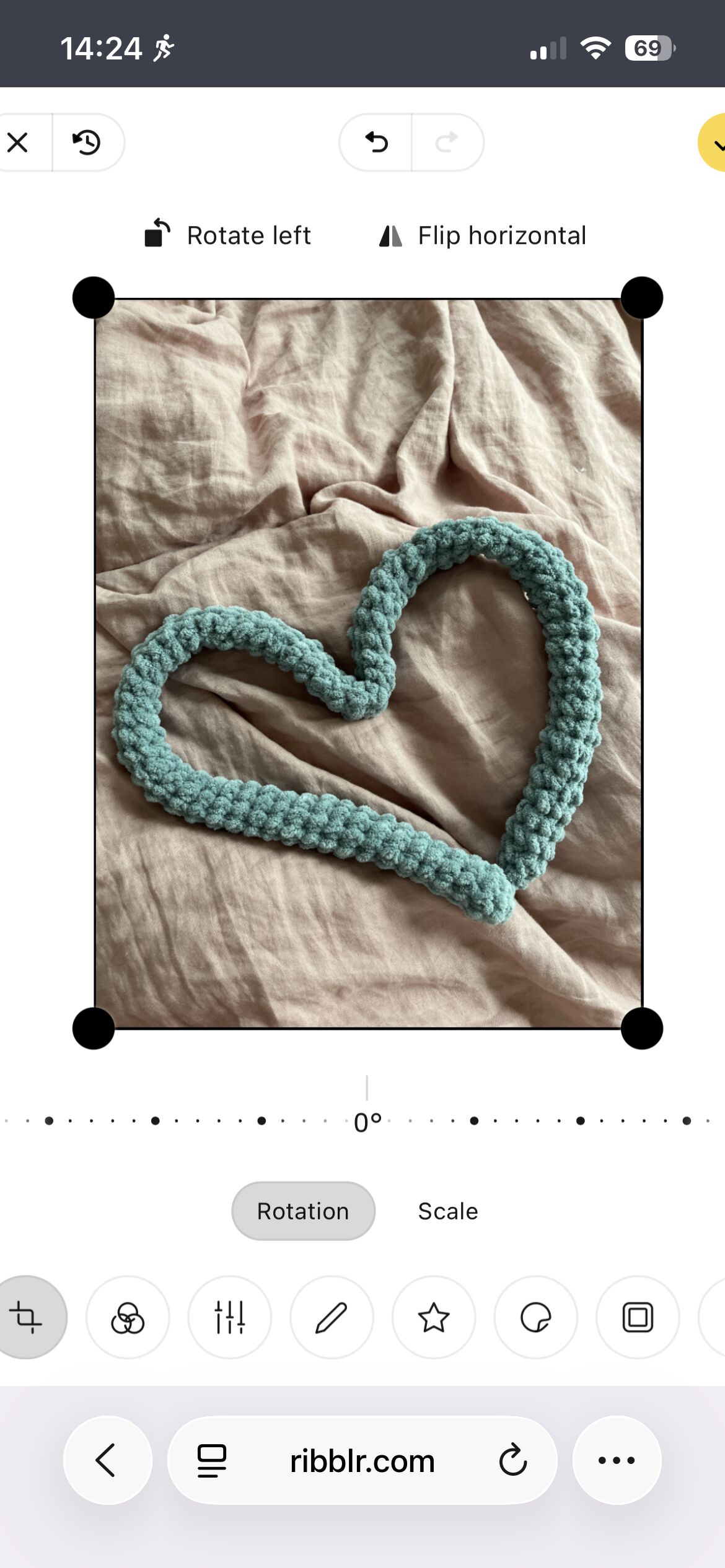
does anyone know how to make it so i can press the yellow check mark? i cant seem to save any photos in journal
21 Likes
You cant press the yellow check mark?! 
6 Likes
IKRRRRR I CANT COMPLETE ANY OF MY TESTS cs
9 Likes
NOOOO cs
7 Likes
Have you tried zooming out? Or flipping your phone horizontal?
6 Likes
Try putting the image in again
6 Likes
If you cannot zoom out, try uninstalling and reinstalling the app or log in to the website on your browser  hopefully that will fix the issue
6 Likes
i’ve tried both
6 Likes
no unfortunately
6 Likes
My phone does not always stay the correct size and it’s over to the right like that also. Sometimes I can shrink it down a bit or just slide it over to the left. If that makes sense.
6 Likes
Did you log out and log back in?
3 Likes
yeah but it doesn’t move for me
3 Likes
yeah
4 Likes
I’m really sorry. I don’t know what to do…
2 Likes
Is it too zoomed in? Is there anyway on your device to decrease how zoomed in it is? If so maybe you can un-zoom your screen (?) I hope it all works out!
3 Likes
this used to happen to me often! I think I had to reload the page and restart the journal but with the toolbar hidden (the little thing at the bottom that shows what website you’re on)
3 Likes
Are you on the app or browser?
2 Likes
I’m going to tag @Ribblr to check this out for everyone
3 Likes
Can you auto rotate?
2 Likes
Sorry about this! A few questions:
- Seems like you’re on a browser. Can you try the app?
- Also- which device are you using and do you happen to have any accessibility features on?
- Did you change the default zoom or text size on your device?
- Did this happen to before on this device or is that a new issue?
4 Likes