This sounds kindof dumb but..
Idk how to test!! I joined Ribblr about a monthish ago but still don’t get it lol 
I signed up for a bunch of things and I don’t want to let them down, what should I do?!

This sounds kindof dumb but..
Idk how to test!! I joined Ribblr about a monthish ago but still don’t get it lol
I signed up for a bunch of things and I don’t want to let them down, what should I do?!
Message them and explain, or learn. idk girl 
Hey there :P
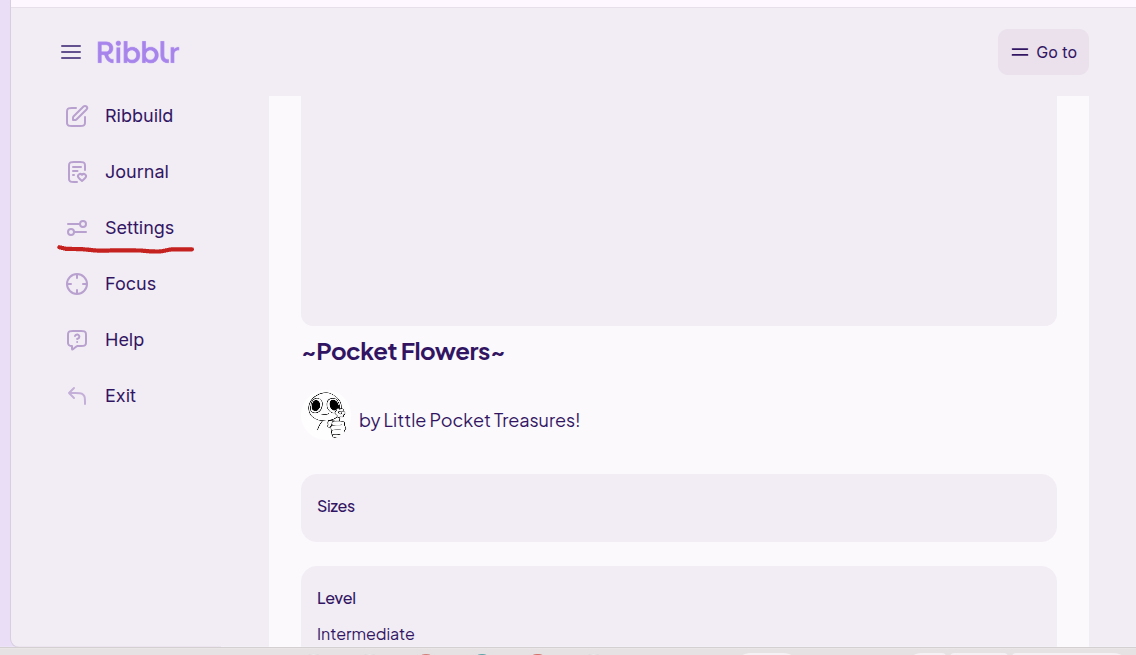
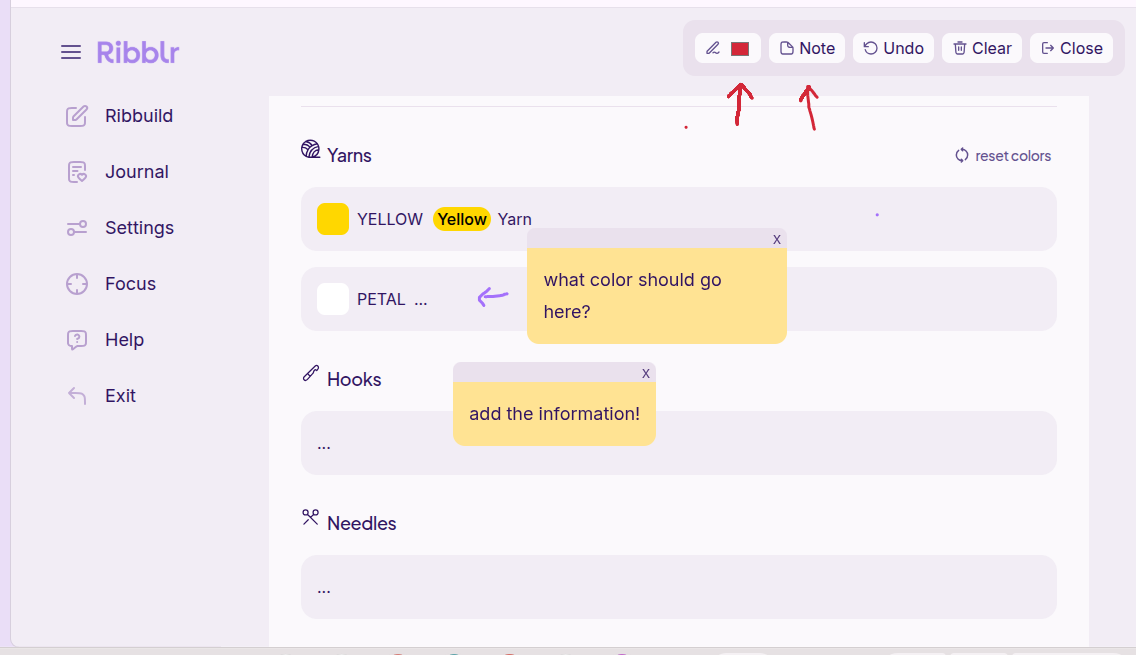
when you are testing a pattern, you are looking for any confusing parts, typos, formatting errors, etc. I do this by using the built-in note and draw features directly in the pattern Then, I send a screenshot of my notes into the tester group chat
then toggle the “doodle mode on”
hope this helped ^^
check the testing guidelines! they have lots of information on how to test <3
but basically you make the product using the pattern, follow any rules the designer may have (like providing feedback or making a positive journal) and then they’ll gift you the pattern so it goes from your testing patterns to your gifted/claimed patterns with a tested mark at the bottom right
if this helped, please mark it as the solution!
If you get accepted for testing, then you will be sent an email on ribblr saying “You can now test [pattern you applied for]! [Pattern you applied for link]”
In that email there will be a few other testers that where accepted. Then you will probably say something like “thanks for accepting me!” To let them know your there and not ghosting. You can start testing the pattern and by doing that you just make the pattern, if you run into any issues, like a st count doesn’t line up with the round, you will tell them in the email after you complete the whole pattern, you leave a journal with a nice review. Then, you go into the email and upload a photo of the finished make and say something like “all done! Thank you for letting me test” so yeah, thats how you test
If this is your awnser, please check mark this!
If you want to post a tester call, this is how you do it so you can start!
pretty sure this is not what you where talking about but uh yeah
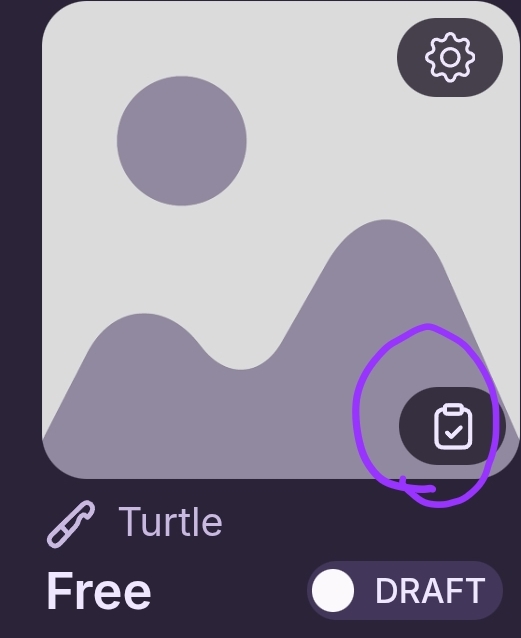
So the first you you gotta do is go to your drafts and find the patternyou want to post a tester call of, then, find this button that I circled in the photo bellow and press it
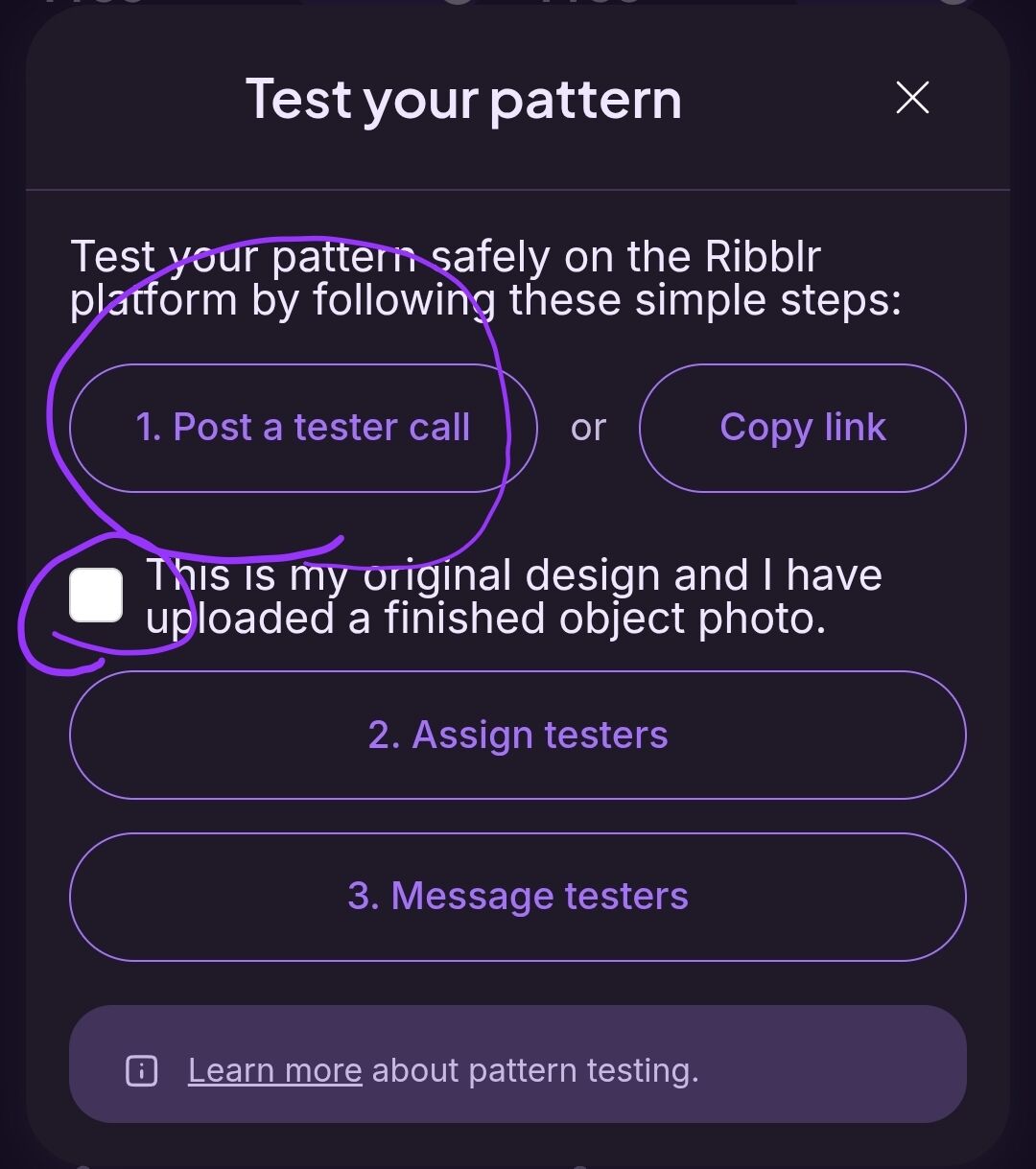
After you press it, something should pop up on your screen, as shown in the photo below the photo below… then you press the buttons i circled
This was complicated